

Aqara Smart Lock U100, Fingerprint Keyless Entry Door Lock with Apple Home Key, Touchscreen Keypad, Bluetooth Electronic Deadbolt, IP65 Weatherproof, Supports Apple HomeKit, Alexa, Google, IFTTT, Gray
$134.99
Related Products




From the brand


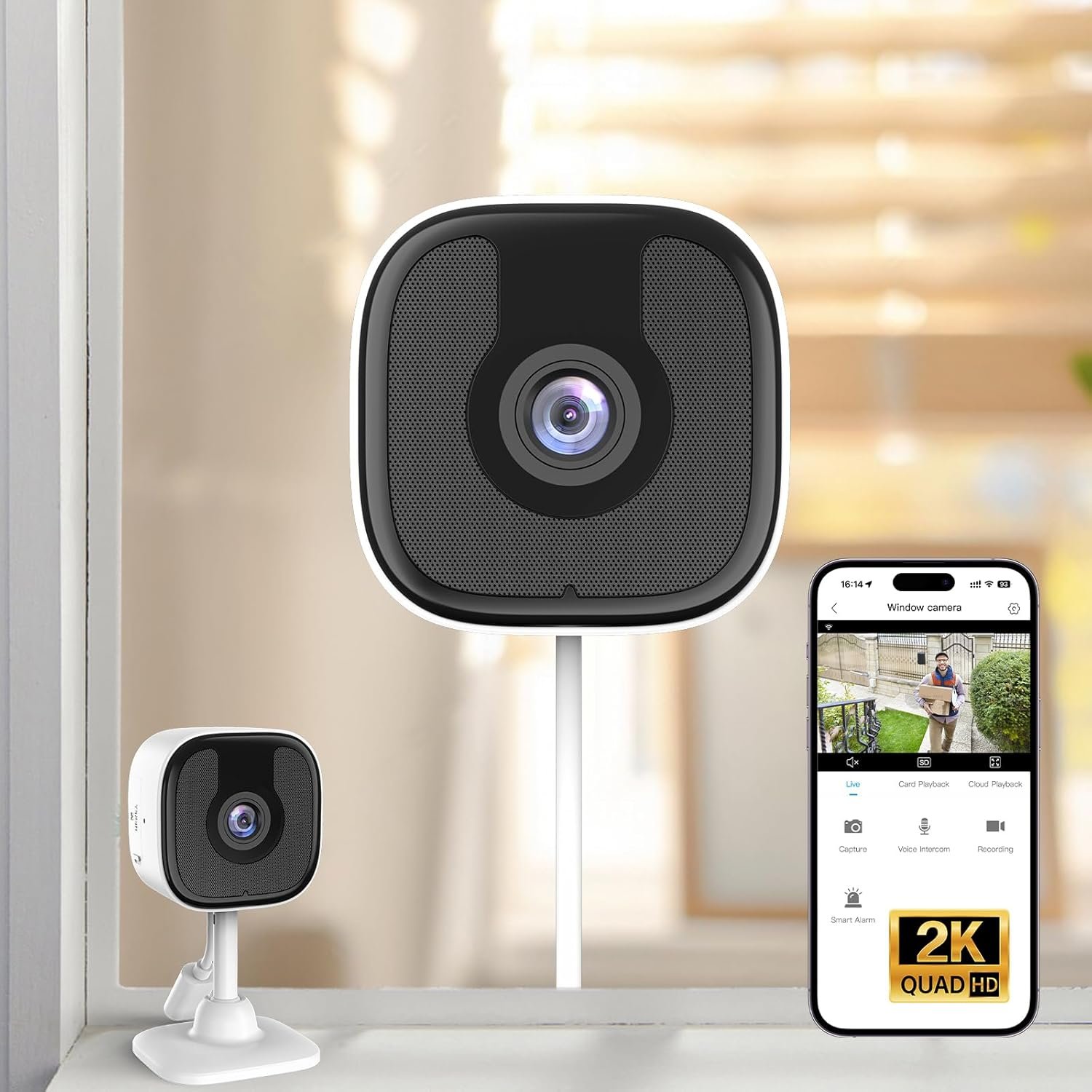
As a leading provider of smart home solutions, Aqara excels in delivering a wide array of award-winning, user-friendly smart home products and platform solutions tailored for your home. We proudly serve over 12 million customers in more than 170 countries and territories. Our products are designed to offer convenience, security, and energy efficiency, making your home smarter, more sustainable, and adaptive to your evolving needs.
UWB Smart Lock U400
Aqara Smart Lock
Aqara Cameras & Hubs
Aqara Sensors
【Apple Home and Home Key Support】The U100 is a smart door lock that is fully integrated into Apple Home. It can be unlocked with the Apple home keys by simply tapping an iPhone or Apple Watch, even when the iPhone or Apple Watch is out of power. Moreover, you can manage and share door access for your guests in Apple Home. (NOTE: To share Apple Home Keys, you need an Apple Home Hub)
【Fingerprint and More Ways to Unlock】The Smart Lock U100 offers multiple ways to unlock, including a high-precision fingerprint reader for up to 50 fingerprints, remotely configurable passwords via the Aqara Home app (An Aqara Zigbee 3.0 hub is required), one-time local passwords for visitors, and a mechanical key for emergency use. * The NFC card is not included and is sold separately.
【Automations with Aqara and Third-Party Devices】With an Aqara Zigbee 3.0 hub, the Smart Door Lock U100 is compatible with third-party ecosystems like Google Home, Alexa, IFTTT as well as the Aqara Home app, allowing it to be easily integrated into a wide range of smart home setups and used in smart home automations. For example, when someone presses the Aqara Video Doorbell G4, you will be able to view who is at your door and easily unlock the U100.
【Auto Lock & Do Not Disturb Mode】Thanks to the built-in gyroscope inside the lock, the auto-lock feature locks the door for you after you close it. Alternatively, you can disable this feature and leave the door always open. Also, the Do Not Disturb mode can mute the door lock sounds within a certain period of time, to avoid affecting your family’s sleep when you get back home late.
【A Durable and Secure Biometric door Lock with Long Battery Life】 The U100 is powered by 4 AA 1.5V batteries (included) and has a long battery life of up to 8 months. Also, a USB-C port for emergency charging is available. The lock body made of zinc alloy has an IP65 rating and complies with the same safety standard as BHMA Level 3. It’s capable of withstanding temperatures ranging from -31°F to 151°F. Your sensitive data (e.g., fingerprints) is stored locally and fully AES encrypted.
8 reviews for Aqara Smart Lock U100, Fingerprint Keyless Entry Door Lock with Apple Home Key, Touchscreen Keypad, Bluetooth Electronic Deadbolt, IP65 Weatherproof, Supports Apple HomeKit, Alexa, Google, IFTTT, Gray
Add a review

$134.99
A. Felix –
Very Fast and Reliable
I got the Aqara Smart Lock because it works with Apple HomeKit, and I love the idea of just holding my phone or Apple Watch to unlock my door. It’s super cool and convenient since I always have my phone and Apple Watch with me.Setting it up took a bit longer than I thought it would, but it wasn’t hard—just a little time-consuming. Once I got it up and running, it worked great with Bluetooth. The Bluetooth connection can take a few seconds to connect when I’m close to the lock, so it’s not instant. But once it connects, I can see logs of who opened or closed the door and control the lock.You really need the Aqara hub if you want to check logs or control the lock away from home. I ended up getting the Aqara Smart Hub E1, which is the cheapest one I could find. It took a bit of work to connect it to my Wi-Fi since it only works on 2.4GHz. I had to temporarily disable the 5GHz band on my Eero router, but thankfully, the Eero app made that easy. It disabled the antenna for 30 minutes, which was more than enough time to finish the setup.Make sure you set it up in the Aqara app first before syncing it with HomeKit. I accidentally tried to set it up in HomeKit first, and that caused the Aqara app to not recognize it, so don’t make the same mistake I did!Once the hub was connected, the lock connected super quickly, much faster than with just Bluetooth. You do have the option of controlling the lock with just an Apple HomeKit hub like an Apple TV or iPad without using the Aqara hub at all, but having the Aqara hub is way better. It gives you faster connections and access to all the management tools while away from home, unlike HomeKit, which only lets you lock and unlock it remotely. So if you just care about unlocking and locking while away from home and already have an Apple TV as a hub, then you technically don’t need the Aqara hub as well.Overall, I really recommend the Aqara Smart Lock. It’s the fastest operating lock I’ve ever used, the fingerprint sensor is the most accurate I’ve seen, and it’s been extremely reliable. It has so many ways of opening it that my family finds it very convenient. I love this lock, and I hope it continues to work well for many years.
Trevor A. Charles –
Great lock
I’ve been using the Aqara Smart Lock U100 for about a week now, and my initial experience has been very positive.Installation required a video, but the lock felt solid and well built. Setup through the app was simple, and adding fingerprints and passcodes took only a few minutes. The fingerprint unlock has been fast and reliable so far, which makes coming home much more convenient than carrying keys.I especially like having multiple ways to unlock the door—fingerprint, keypad, phone, and a physical key as backup. Using Apple Home Key has been a nice bonus, and it works smoothly with my phone and watch. The auto-lock feature is also reassuring, as I don’t have to second-guess whether the door is locked when I leave. I just need to get a hub to enable remote locking.After one week, battery life is still high, and the lock sends clear notifications through the app. While it’s still early days, everything has worked exactly as expected with no issues so far.Overall, based on my first week of use, I’m very satisfied with the Aqara Smart Lock U100 and feel confident recommending it based on these early impressions.
SpamOfDeath –
Great device but needs to be able to be re-keyed
I replaced an August Wi-Fi smart lock. As much as I wanted to love the August, it does not play well with Apple HomeKit. It will constantly drop off the network, it never worked unless you were within Bluetooth range. But that’s another review for another time.This is very easy to install, appears to be very high-quality, and is rock solid stable. Never drops off my network, always available in HomeKit, and always responds to commands.It was super easy to set up; sensor for open/close has been highly accurate and didn’t require nearly as much fine-tuning as my old Smart lock.It requires five AA batteries. Still cheaper than a pair of CR123s, which my prior lock ate like candy. Hopefully the battery life will be better.Now for the not so good:, it should be easier to have this re-keyed. I rather liked having all of the deadbolts in my home accessible via single key. not so with this one: this thing uses a non-Kwikset lock tumbler.The native app is absolute trash. The instructions read like they were run through Google translate a few times. Which was surprising. However, once you get it, set up at HomeKit, you can forget about the native app.I would likely replace the other locks with this one. I really dig it.
عماد النزاوي –
جهاز ممتاز جدا ويعمل مع أبل هوم كيت بشكل ممتاز جدا.أكثر ما أعجبني به هو دعمه لنظام nfc من أبل حيث أضع هاتفي الآيفون على الجهاز ويفتح بشكل مباشر دون الحاجة إلى فتح قفل الآيفون بعد تفعيل ميزة الوصول السريع.
SR –
I did lots of research and finally found Aqara as the best option for me. Easy to install, very high quality build and well integrated with home assistant.
UZAY –
I bought this product a few months ago. At first, it worked perfectly fine, and I installed it on my main door. However, after a short while, it started showing errors and stopped functioning properly. The door wouldn’t open or close as it should, and I ended up being locked out several times.Unfortunately, I received no real help or support — only generic replies telling me to update the software online. The customer service is nonexistent. You’ll just be creating problems for yourself if you buy this product. Don’t waste your money — you’ll regret it. My advice is to choose a product that actually provides reliable customer support.
Caín Volkov –
Fácil de instalar, confiable, siempre funcional (al ser de baterías, no te deja afuera si se te va la luz, pero debes cuidar la diva de las baterías para no llevarte sorpresas).Creo que es un buen kit con buen precio pues incluye dos llaves NFC, llaves físicas, usa huella, funciona con Apple HomeKit nativamente (generalmente abro usando mi Watch); puedes escoger código por habitante y además puedes mandar llaves temporales a visitas (muy útil para la señora del aseo sin tener que darle un juego de llaves).La amo.
Matt –
THE PROBLEM—If your existing lock uses a drive-in style deadbolt (round, no faceplate), the deadbolt included with the Aqara U100 Smart Lock is incompatible as it has a non-removable faceplate. The tailpiece slot on the Aqara Deadbolt (the part that accepts the rod and turns to extend and retract the deadbolt) is uncommon, at least according to the locksmiths I’ve spoken with.Some doors cannot be modified to include a faceplate, such as metal doors, or, like me, you might want to avoid modifying your door to have a faceplate.SOLUTION—Buy the Design House 783332 Pro Deadbolt from Amazon ($14 CAD as of writing) as it has a removable faceplate and can be used as a drive-in style deadbolt that has a slot compatible with the U100’s tailpiece (the rod that goes through the deadbolt and turns to extend and retract the deadbolt).If you receive a calibration error with this deadbolt, try calibrating the lock with the door open (the app will tell you to have it closed). If it works, you’ll need to chisel out the hole for the deadbolt in the doorjamb/doorframe to allow the deadbolt to fully extend to prevent constant beeping (and error messages in the app). I think this was an issue with my particular door, as the hole for my deadbolt seemed overly shallow.If the Design House 783332 Pro Deadbolt is unavailable, or if you want to try to find one with a shorter deadbolt, other deadbolts from Design House or Emtek that use a + shaped slot for the tailpiece should work.BACKSTORY / FULL EXPLANATION—I was excited to try the U100 as a replacement for my two August Smart Locks— they eat CR123A batteries for breakfast and would routinely disconnect from my Apple HomeKit setup.My first attempt at installing the U100 came to a complete halt— the deadbolt latch included with the smart lock has a non-removable faceplate that requires modifying your door if it was configured for a drive-in (round, no faceplate) style deadbolt.I wasn’t comfortable modifying my doors to accommodate a faceplate, and I wasn’t going to pay a professional to do it. After all, I justified this new smart lock purchase based on estimated battery savings, and I wasn’t about to extend my timeline to riches.After visiting a Home Depot and two locksmith shops, extensive Googling, a support email to Aqara, and a plea to Reddit, I couldn’t find a solution that didn’t include modifying my door to fit a faceplate. According to the locksmiths I spoke with to find a compatible drive-in deadbolt, the part where the tailpiece slides through the deadbolt to turn the lock was one of a kind. So my first U100 went back to Amazon.This kept me up at night—every fiber of my being wanted to stop buying CR123A batteries. Then I remembered the August Lock came with a deadbolt tailpiece compatibility graphic— my first good lead.According to the August Lock deadbolt tailpiece compatibility graphic, Defiant, Emtek, Weiser, and Weslock, all use a similar tailpiece (size and orientation) to the Aqara U100’s deadbolt.After some Googling, the Emtek tailpiece slot appeared to be positioned in the right spot on the lock and utilizes a + shape which should allow it to be compatible with the U100 tailpiece. The tailpiece slots from the other brands could theoretically work, but I didn’t want to risk the mechanism having reversed lock/unlock positions.Looking on Amazon for Emtek replacement deadbolts, I found a brand called Design House which seemed to utilize the same tailpiece slot and placement as Emtek. All of their locks come with a faceplate, but my prior research suggested that the faceplate on most locks is removable. I landed on the Design House 783332 Pro Deadbolt, which was $14 Canadian and shipped with Prime.Once I received the new deadbolt, I easily slid off the faceplate (no tools required) and ordered a new Aqara Smart Lock U100. When it arrived, I installed it following the instructions but used the Design House deadbolt instead of the Aqara. As the tailpiece slot on the Design House is + shaped, be sure to match the orientation of the tailpiece with the knob on the interior side of the U100 so that you don’t have to disassemble and reassemble the lock to change which way the tailpiece fits into the tailpiece slot on the deadbolt.After installing, when setting up the smart lock in the app, I received a calibration error that I couldn’t move past. After a quick panic that there was some special magic in the Aqara Deadbolt, I wised up and tried calibrating the lock with the door open (rather than closed) to triangulate the issue. Sure enough, it calibrated, but it still wouldn’t work with the door closed (the smart lock would beep, and the app would throw errors and require recalibration).As it turns out, the hole for the deadbolt in my doorjamb/door frame was shallow and didn’t allow it to extend fully. I did have to chisel out the hole, but this was an issue with my original door installation and not resulting from the Design House deadbolt being freakishly long.I’m still playing around with the smart lock (I just installed it), but in early testing, it’s been very responsive in HomeKit to lock and unlock the door at home and when I’m away. HomeKey and the Fingerprint Reader are lightning fast, and the integrated numbered is much more delightful to use than the (sold separately) August Lock keypad. I’m excited that there is an easy-to-activate “Passage Mode” that can be activated on the lock itself, allowing you to temporarily turn off auto-lock (which, after living with a smart lock that doesn’t do this, was a key-selling feature).I’ll update this review if I encounter any issues.I hope this helps!MattETHICS DISCLOSURE—I did not receive any compensation or free products for this review. All products mentioned above were purchased without reimbursement and I am not affiliated with Aqara or Design House in any way.