

Philips WiFi Smart Keypad Deadbolt Lock, App Remote Control, No Hub Required, Support Alexa & Google Assistant, Keyless Entry Door Lock with Auto Lock, Digital Smart Locks for Front Door, Satin Nickel
$75.99
Related Products






From the brand

Philips WiFi Smart Lock
Philips WiFi Smart Lock


Philips Smart Door Lock
Philips Door Lock
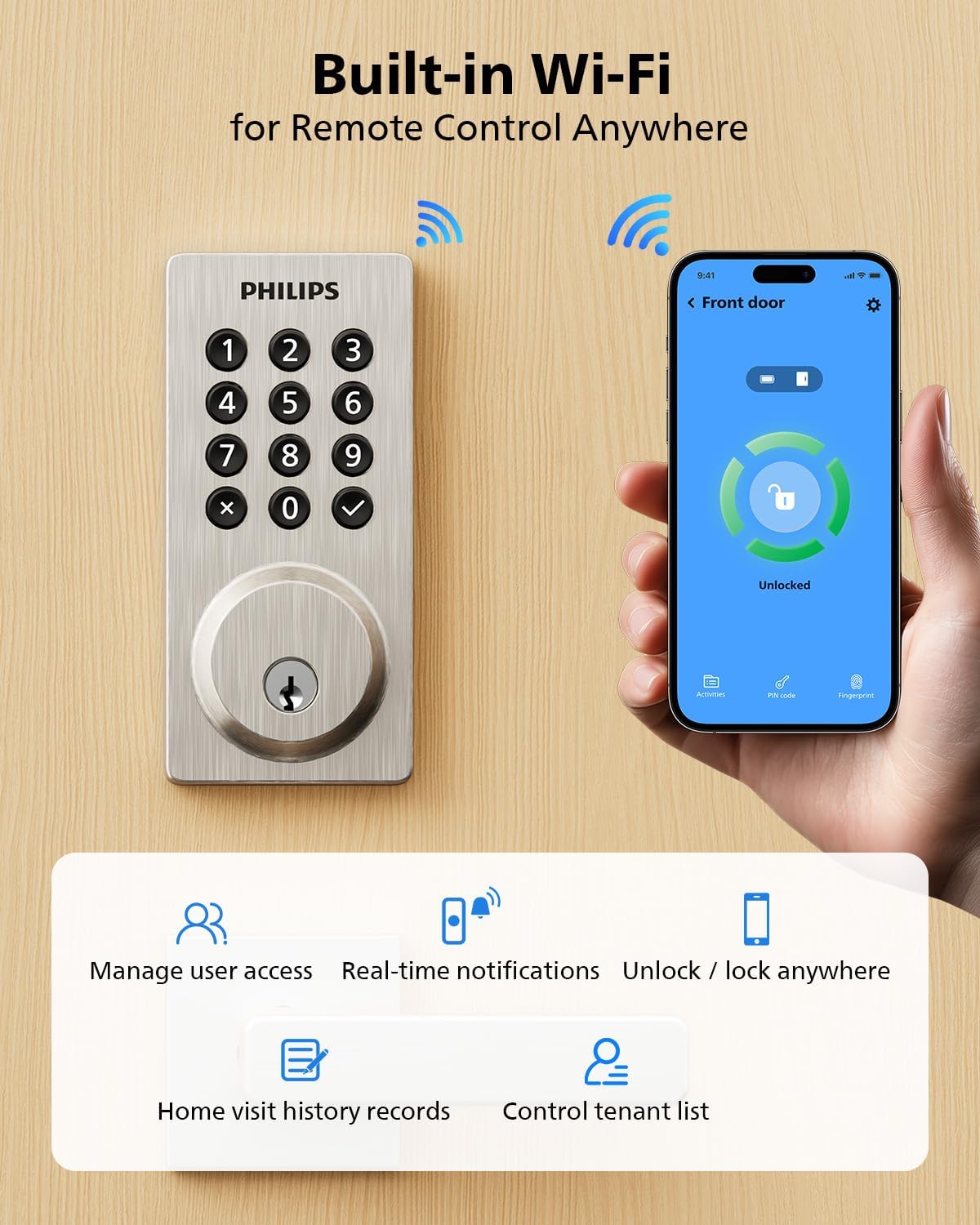
Remote Control from Anywhere: The Philips smart lock built-in WiFi that you can connect it directly to your home WiFi network. In addition, you can use the Philips Home Access App to easily control your smart door lock anytime or anywhere: remote control turn it on or off, set access permissions, receive real-time notifications, event historyand more.
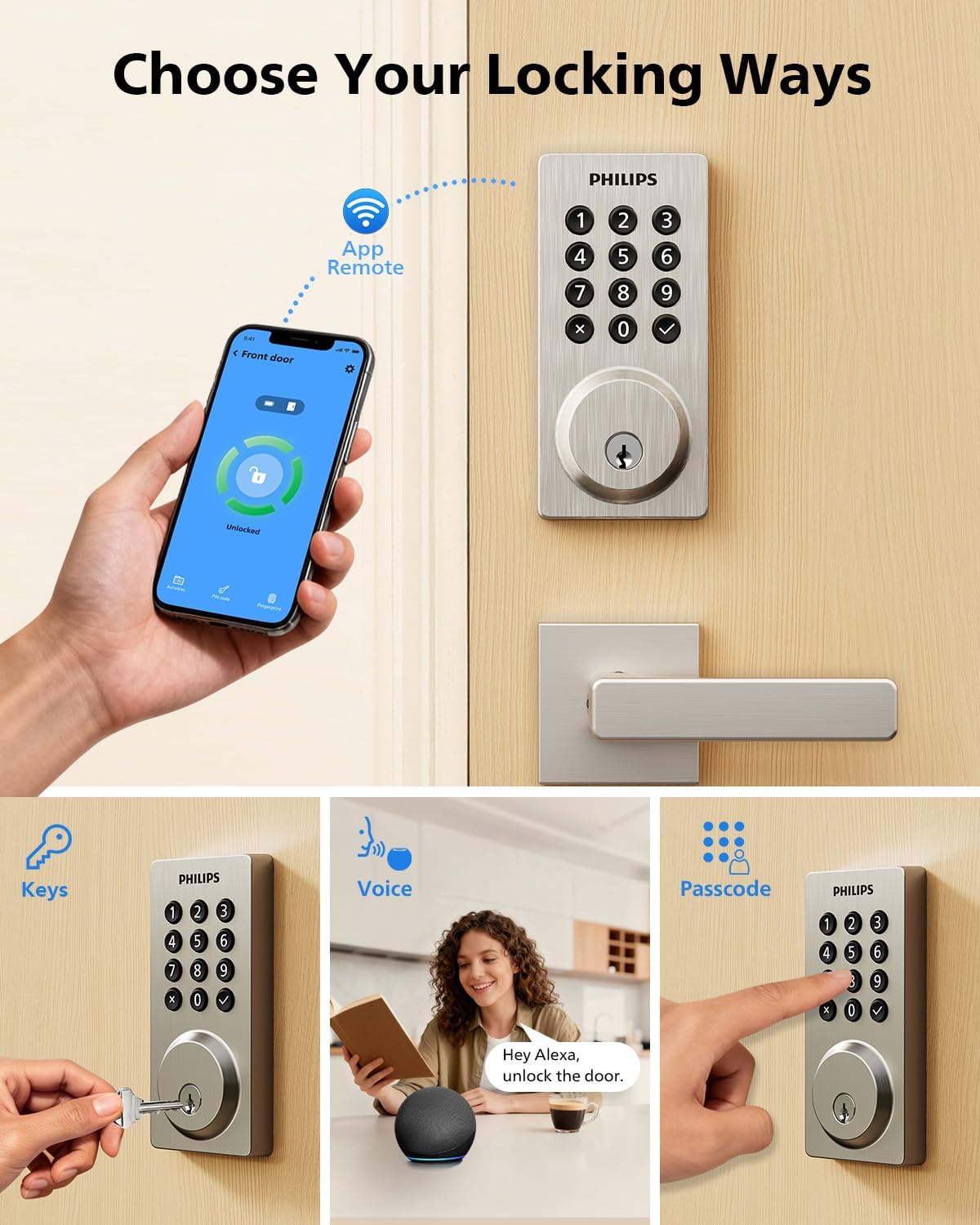
4 Ways to Unlock: When the Philips smart Lock is paired with Alexa and Google Assistant, you can unlock or lock the door using your voice. Keys, passcode and mobile app can also unlock. The Philips smart deadbolt is designed with physical buttons are simpler and more reliable than touchscreen.
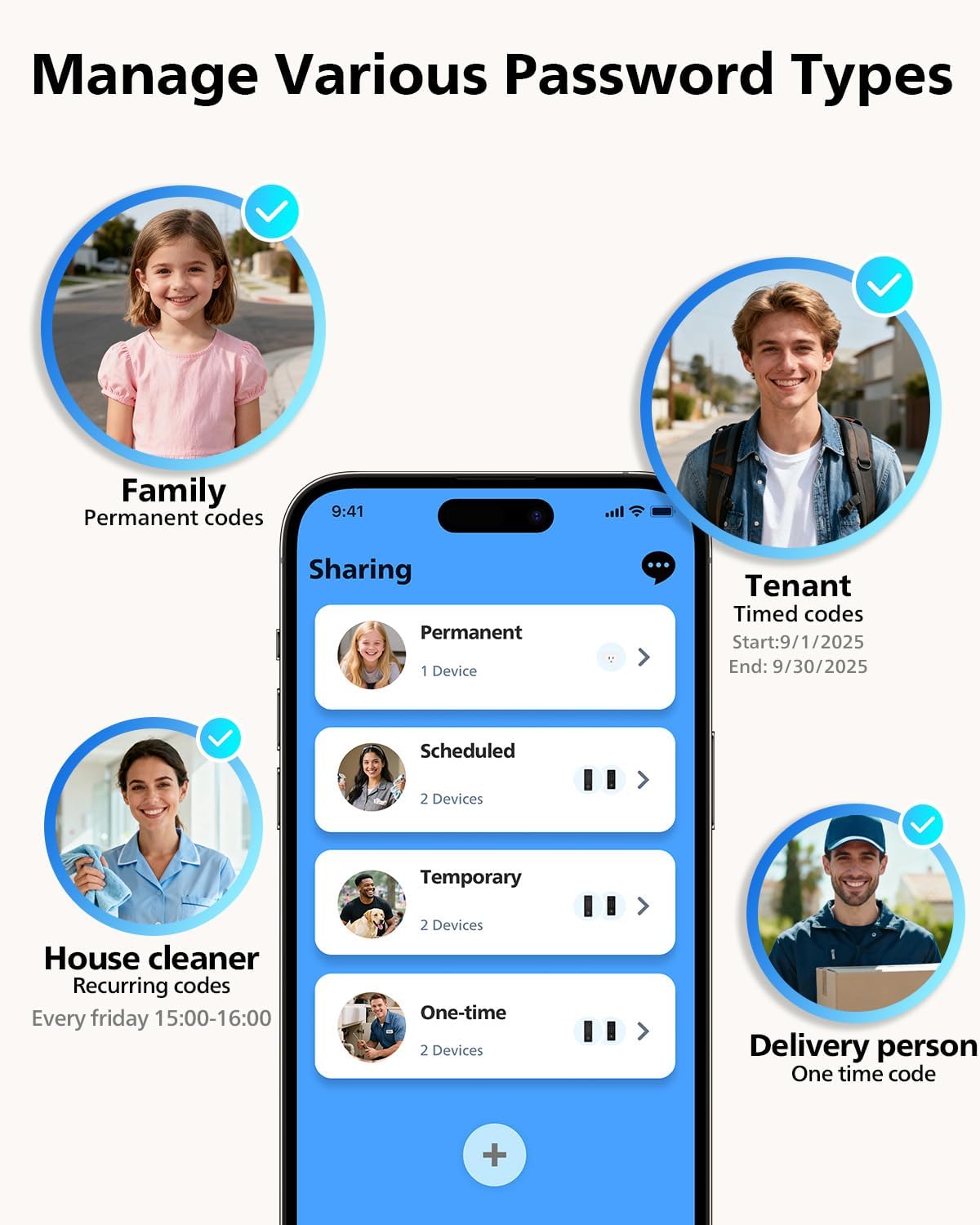
Multiple Password Modes: You can create up to 100 custom passwords. You can set up permanent, one-time, and timed passwords to assign to family, friends, tenants, and cleaners as needed.
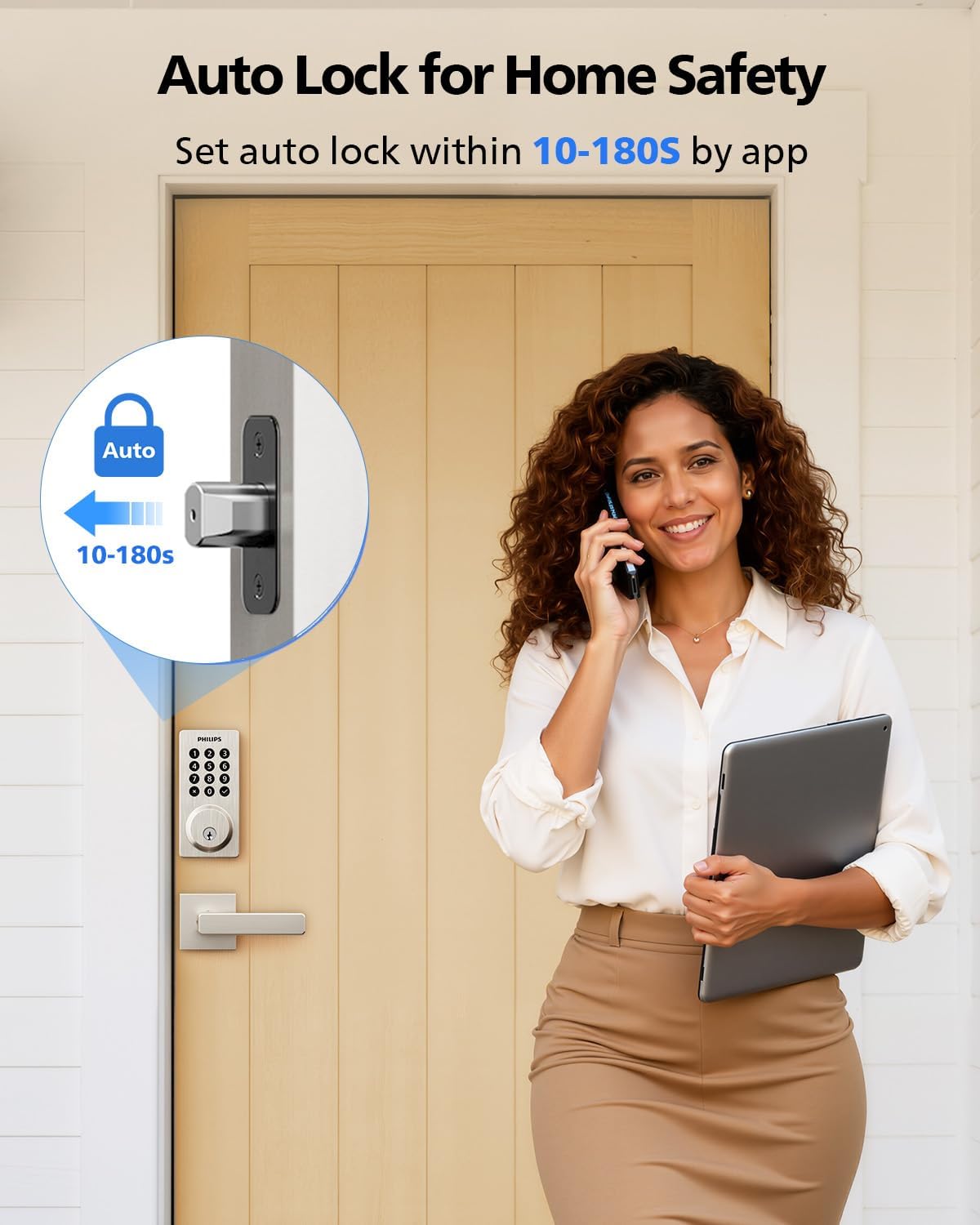
Security Auto Lock: You can setting the Philips Deadbolt Smart Lock to auto lock within 10-180 seconds by mobile app. Not only does this free your hands, it also keeps your home secure even if when you might forget to lock your door: such as before work or after shopping.
6 Months Battery Life: Our Philips smart lock is powered by 8 AA batteries (not included), Use 20-30 times a day, the battery life is up to 6 months. The Philips smart deadbolt lock will beep when the battery level is below 10%, and it will send you of low battery alerts message in the “Philips Home Access App”. Remind you to replace the battery in time to avoid the smart lock running out of power.
Safe and Durable: The Philips door lock can reliable work in temperatures ranging from -31°F to 150°F (-35°C to 66°C), 2200N pressure resistance and waterproof level IP54. Entering the wrong password multiple times will send alarm prompt, ensure your home safety to the greatest extent possible.
DIY Easy Installation: Compatible with most standard US deadbolts: Cross Bore 1-1/2″ or 2-1/8″ (38mm or 54mm), Door Thickness 1-3/8″ to 2″ (35mm to 50mm), Backset 2-3/8″ or 2-3/4″ (60mm or 70mm), Minimum Distance 2-3/8″(60mm), installation within 15 minutes.
Contact Us Service: Our Philips US team is available by phone Monday through Friday from 8 AM to 8 PM PST and Saturday from 9 AM to 5 PM PST. Enjoy a 12-month warranty and 24/7 email support, we are always at your service.
Package Include: Smart door lock * 1; Latch bolt * 1; Key * 2; Mounting plate screws * 2; Strike plate screws * 2; Latch plate screws * 2; User manual * 1.
8 reviews for Philips WiFi Smart Keypad Deadbolt Lock, App Remote Control, No Hub Required, Support Alexa & Google Assistant, Keyless Entry Door Lock with Auto Lock, Digital Smart Locks for Front Door, Satin Nickel
Add a review

$75.99
Blueberry –
Best Smart Lock
I have tested several smart locks, and this model stands out as the most user-friendly. The installation process was straightforward, setup was seamless, and daily operation has been exceptionally easy. It delivers both convenience and reliability, making it an excellent choice for anyone seeking a hassle-free smart lock solution at a very reasonable price.
alphonse d camp –
A very good smart lock at a great price
Good lock at a good price and does not require a hub for wifi. Replaced a failed $250. smart lock that required a hub. Easy install easy connectivity to Alexa.
Angela –
Works great but use alkaline batteries
I bought the Philips Wi-Fi smart lock in March, and within a month it stopped working, which was frustrating. For some reason, I didn’t get a replacement and instead bought another push-pad lock. Later, I decided to try putting alkaline batteries in the Philips lock—and it started working again with all my codes still programmed! So, if it stops working, it’s most likely because you’re not using alkaline batteries. I feel like that should be stated more clearly in the directions. Other than that, it was very easy to install on my apartment door and simple to set up with codes.
Amazon Customer –
Love it!
Great to have. Nice to test password on your phone and to create one for houseguests or dog sitters. Phillips has always been reliable…no fees…You can open your door from miles away and it does have a key for emergency. Aesthetically pleasing!My neighbor saw it and also purchased one.
Walter G –
Great product
Easy to install and setup. Requires 8 batteries to properly function, granting longer longevity than comparable devices. You can track the battery levels on the application.
Arizona –
So far five stars
This is for delivery and install ONLY. I cannot give a reasonable evaluation on it’s everyday use.Well packed and install was quick and easy. Excellent video to follow if needed. Appears well made. Uses 8 batteries so should hold up to my AZ heat – but again that is a later evaluation.This replaces a Eufy unit that was less than a year old. Not a good unit.
Willy Brownshoe Brown –
OMG NO
No idea how well it works as a lock but right away it takes *8* AA batteries, seriously? Then there’s the setup process which involves pressing a reset button for 5 seconds until the blue light comes on….except there’s no blue light, in fact there’s no light at all. Pressed for 5 seconds, pressed for 10 seconds, pressed for 15 seconds, there’s no light to indicate you’re doing it right to it’s just guessing. Finally, and worst, the app refused to connect via bluetooth after 10 tries, just a the circle of death on the phone app for a minute and then “Failure To Connect” message every time.This is a big fat pile of nope, I mean when you can’t even get past the connect portion of the process the rest of the operation doesn’t give me confidence. Sending back, Ill try something else.
fishman –
Works great – recommended
Easy install, easy connect to WiFi. Works great, bought a pair and same experience for both.