

Veise VE028 Built-in Wi-Fi Smart Lock with Knob, Fingerprint Keyless Entry with Handle, App Remote & Voice Control, Electronic Digital Keypad for Front Door and Bedroom, IP65 Waterproof, Matte Black
$99.99
Related Products






From the brand

Slide to view >>>
Trust Veise, Secure Your Home


Veise WiFi Lock with Handle
Veise WiFi Lock with Knob
Veise WiFi Lock with Handle
Veise WiFi Lock with Handle
Veise WiFi Lock with Knob
Veise WiFi Smart Door Lock
Built-in WiFi Smart Lock

Smart Locks Work w/G1 Gateway
Smart Locks Work w/G1 Gateway
Smart Locks Work w/G1 Gateway

Smart Locks Work w/G2 Gateway
Smart Locks Work w/G2 Gateway
Built-in Wi-Fi, Smarter Remote Access: Control your smart lock deadbolt with door knob anytime, anywhere—no hub required. Use the KK Home App to unlock or lock remotely, manage user permissions, monitor real-time status, and get instant security alerts right from your phone
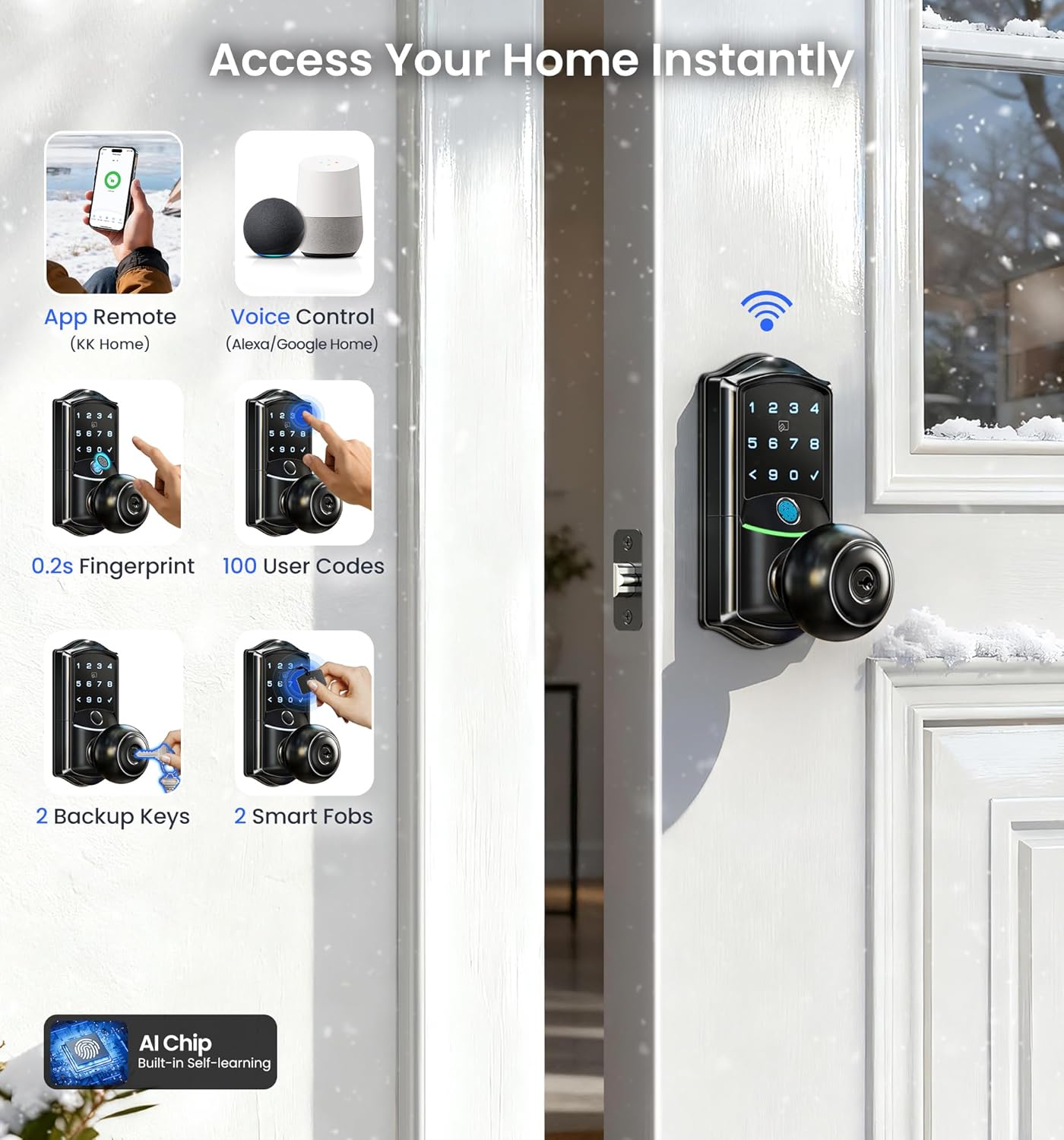
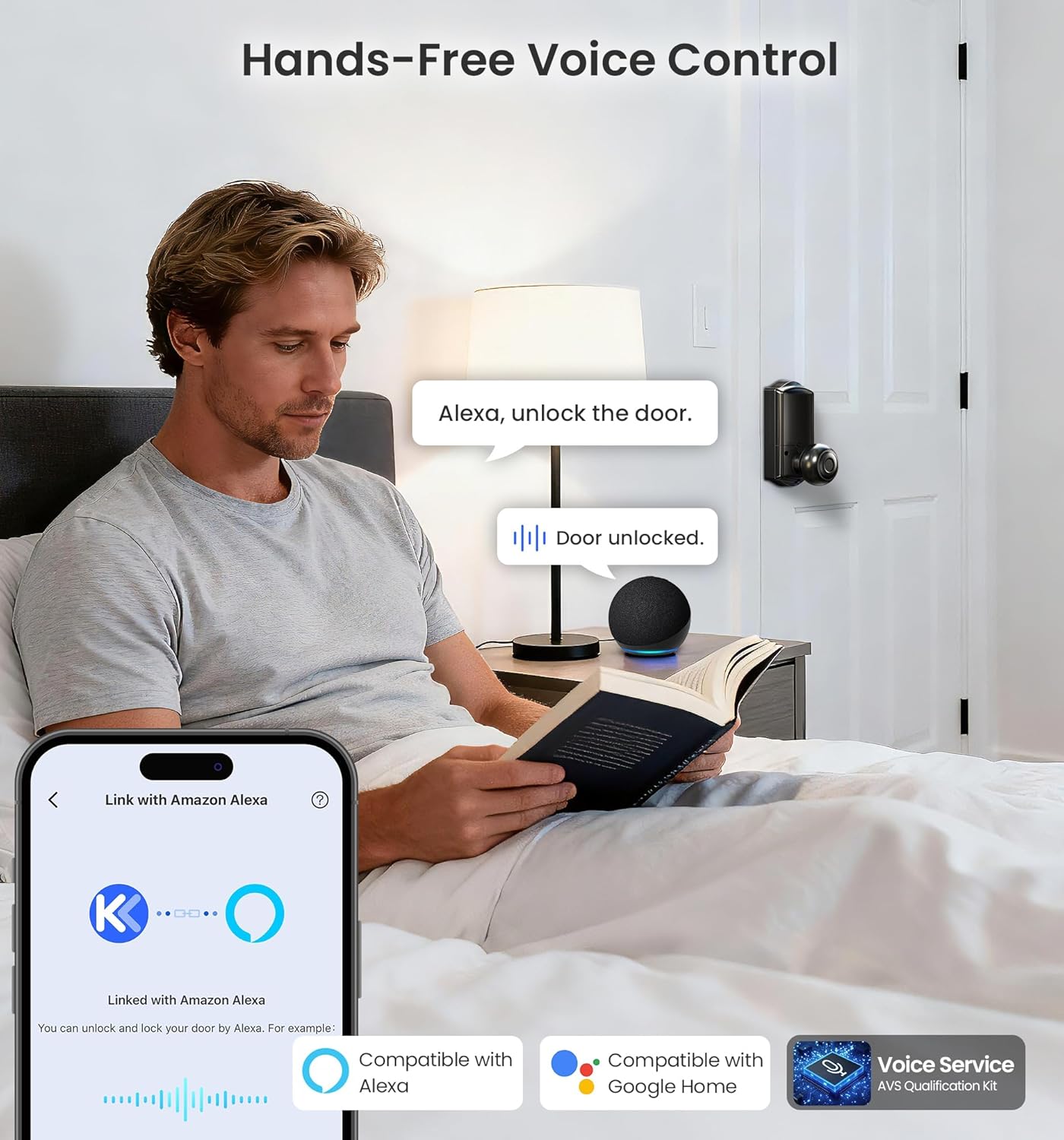
7 Convenient Unlocking Options: Choose how you enter—App(Remote or local), 20 Fingerprint, IC Card, 100 PIN Codes, Backup Key, or Voice Control (Work with Alexa/Google). Auto Lock automatically protects your home after every use
Enterprise-Grade Encryption System: Remotely create and manage 4 PIN Codes (permanent, recurring, one-time, duration) with one tap. Veise Wifi smart door lock with handle features anti-peep entry, and AES local encryption to ensure your data and home remain safe
Reliable Power with Backup Entry: Powered by 8 AA batteries (not included) for up to 240+ days of use. Type-C emergency unlock design and backup key access guarantee you’ll never be locked out
Premium Zinc Alloy Build, Tough & Elegant: Crafted from durable, scratch-resistant zinc alloy, keyless entry deadbolt door lock meets BHMA/ANSI Level 3 standards and IP65 weatherproof for lasting strength and a sleek modern finish
Professional US-Based Support: Veise offers at least a 2-year warranty, lifetime US-Based professional phone support (Weekdays 9 AM–5 PM PST), and 24/7 after-sales email service
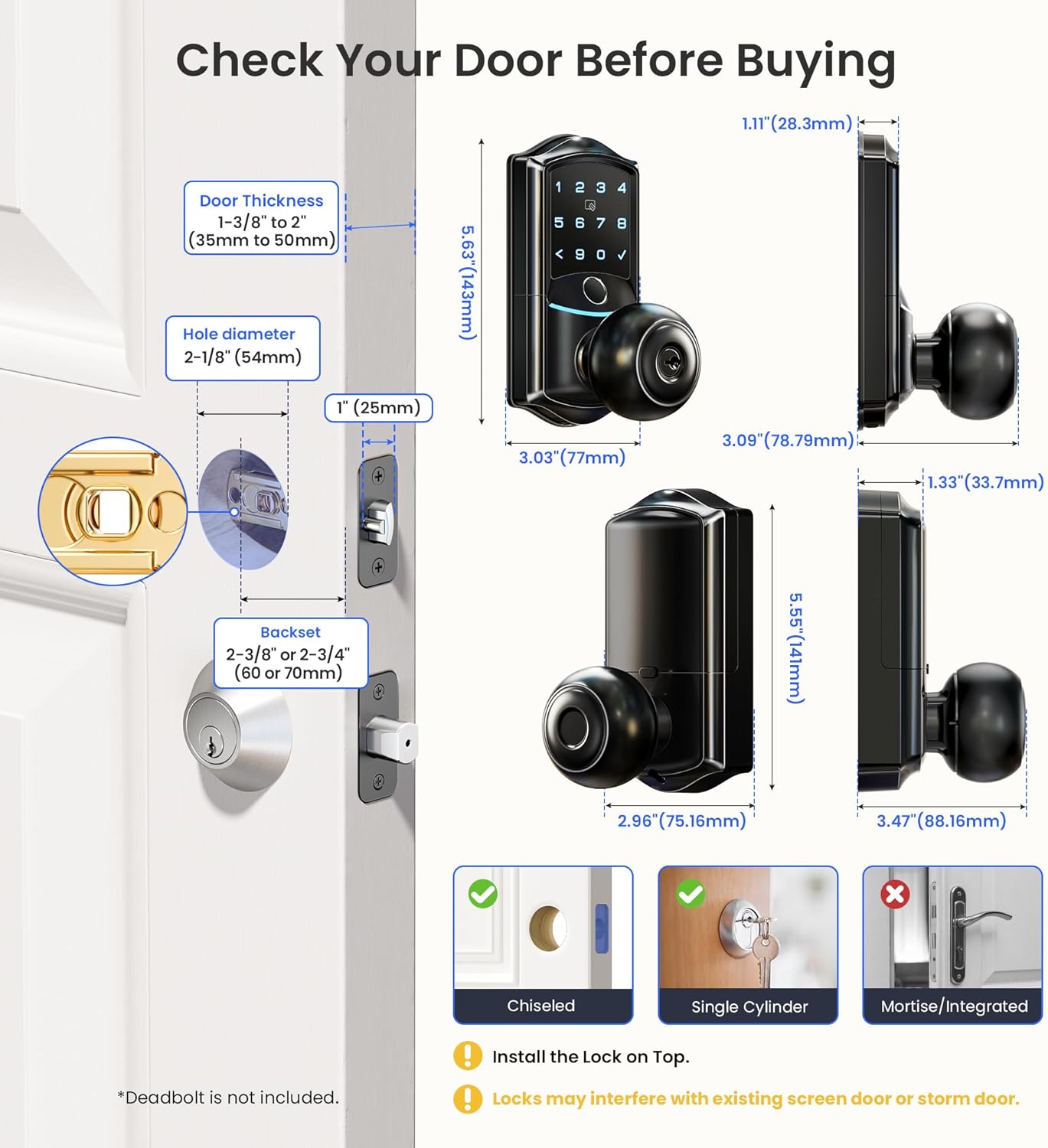
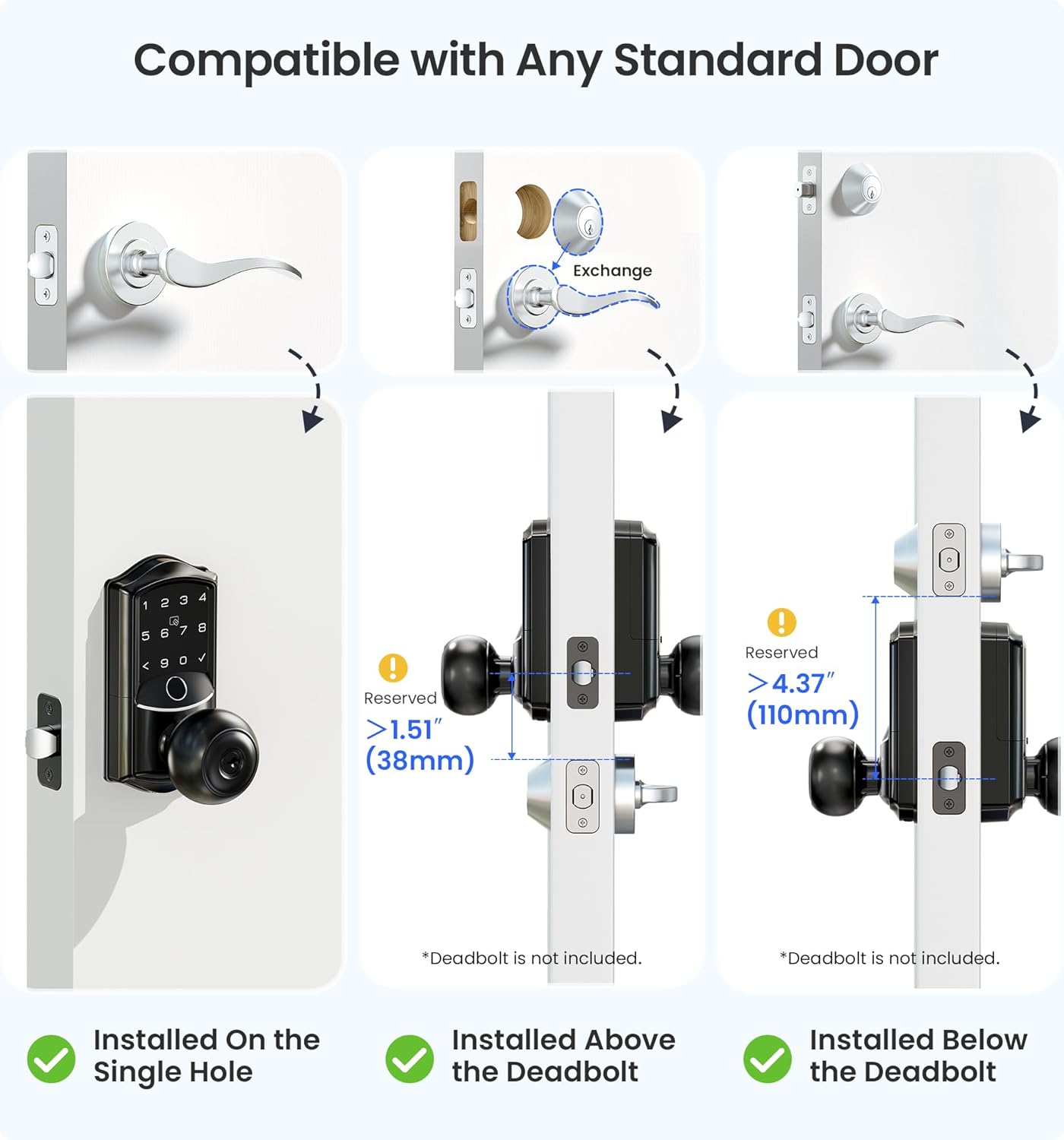
Easy Installation: Installs in 15 minutes on standard US deadbolts, no drilling required
8 reviews for Veise VE028 Built-in Wi-Fi Smart Lock with Knob, Fingerprint Keyless Entry with Handle, App Remote & Voice Control, Electronic Digital Keypad for Front Door and Bedroom, IP65 Waterproof, Matte Black
Add a review

$99.99
Dipak Sawarkar –
Great Smart Lock for the Price – Fast Fingerprint & Easy App Setup
Installation was straightforward and everything connected without much trouble. The fingerprint reader is quick and the keypad lights are bright enough at night. I’ve been using the app to check the door status and it’s been reliable. Overall, a good buy.
Brian Carr –
Easy to install
Easy to install, app works great
Igor Grigoriev –
Nice works well
Works all rightAll you need to replace your lock is screwdriver
james –
No Bluetooth. Hassle to install vs others.
Im giving this one three stars because of the engineering. Ive installed multiple smartlock door handles. This one has a bracket that is unnecessary if engineered right. It goes on the inside of the door, and the outer part screws into this, feed the com wire through a bottom hole in the bracket. Then pull it up to go into the top of the inner door mechanism that has the 8 aa batteries. Thats right. Eight. Problem is, when you Then try and screw the inner door handle to the bracket, it pinches the wire. You cant really manipulate it, try and line up the holes hold the door, and the door handle at the same time. Took me longer to line everything up and hold everything together and get first screw started for the inside than it did to install the whole other smart lock unit from another manufacturer in another door. Other than that, it works well once installed. Has usbc emergency plug in under doorknob for outside should batteries fail. Keys work great, key fobs work well also. Doesn’t have Bluetooth, so, another Starr off. You cannot install this door lock unless it has wifi for programing. So, remote installations.. program it with biometrics near wifi before installing it. Bluetooth enabled smartlocks, though shorter in range, can connect via phones Bluetooth. Wich, works almost anywhere there is cell signal and your phone nearby for programming:-)
Jason Raw –
M
Love the easily accessible entry
Michael –
Nice modern lock, a bit limited
This smart lock looks great and feels solid. The keypad lights up and the handle has a nice ergonomic shape. Setup was pretty easy, though I wish it had more advanced features like app control or auto-locking. It works fine with the included keys and the code access is reliable. Good choice if you want something simple but stylish without smart home integration.
David quiroz –
Great lock
Great lock
MJ –
Works Well, Looks Great, and Significantly Improves Convenience of Everyday Life
This WiFi smart lock is a great way to improve the convenience of everyday life, while still having the option for regular, no-technology-necessary, keyed entry.This item arrives neatly packaged in a product box that includes all components of the lock itself, hardware, two keys, two key fob cards, an installation manual, and a user manual. The lock feels quite heavy duty and the matte black color is extremely nice. The exterior handle of my door lock also came with some type of hardened goo that I initially thought was permanent damage since it did not come off with soap, water, or a few other cleaners I tried. As it turns out, a few swipes with a paper towel soaked in isopropyl alcohol did the trick, and now I can’t even tell it was ever an issue.Installing the lock is the same process as any other lock, but in case swapping out locks isn’t something you regularly do (like me), the installation manual walks you through it with specific steps and clear diagrams. While you can install the lock before you set up the smart features, you can also do things in reverse and set up the app first. This way if you don’t like how it works, you didn’t waste all that time installing the lock.Although the key will work regardless of whether you have set up the app or installed batteries, everything else requires that the lock be powered and that you have installed the KK Home app and set up access to the lock. The keypad and key fob will both still work if your WiFi is down, but controlling the lock through the app requires a working WiFi connection.Installing the app and adding the lock is a straightforward process that is basically the same as setting up any other smart home device in most other smart home apps. Once you are able to access the lock settings, you can then add pin codes, fingerprints, and key fob cards for each person who needs access. While the fingerprint and key fob only allow permanent access without any customization, the pin codes for the keypad have a variety of options that allow unique access levels for different users. When adding a new pin code, you are able to set it as permanent, recurring, one-time, or for a specific duration of time, which allows different users varying levels of access on an as-needed basis. Additionally, under the activities section, you can see a log of every action that was taken, which becomes especially useful if you’re monitoring any shady users.In the device settings area, you are able to control the sound, lock language, the master code, time settings, notifications, one-touch locking, privacy mode, passage mode, and auto lock. Of these settings, the important points include:- One-touch locking just explains that you can press and hold any key on the touch screen for two seconds to lock the device.- When privacy mode is engaged, the lock can only be opened with the master code or the mechanical key.- Passage mode disables the auto lock mechanism so that the door remains unlocked. This is useful if you are going in and out of the door frequently, need to close it every time, but don’t want to have to disable the lock repeatedly. Passage mode can also be enabled and disabled by pressing the single physical button located on the interior side of the lock panel.- Lastly, auto-lock is a default setting that automatically locks the door within a certain amount of time after it has been unlocked. You can set this time to be anywhere from 5 seconds to 3 minutes.As I was testing this item I noticed that there is a USB-C port on the bottom of the exterior panel, beneath the outside doorknob. Since it seems I watch too many hacker movies, I immediately thought this must be a security flaw. With a bit of googling, I discovered that this is actually designed to allow access for a power bank in the event that the batteries die. This then allows you to unlock the door via pin code, key fob, or with the app, so that you can then open the door and change the batteries on the other side. Although I kind of liked my hacker theory, the real reason this port exists is a helpful feature to have available.Overall, I think this lock is a fantastic solution for anyone who would like to add convenience to their security system, while also maintaining the familiarity of a keyed lock.