

Kasa Smart Light Switch HS200, Single Pole, Needs Neutral Wire, 2.4GHz Wi-Fi Light Switch Works with Google Home, UL Certified, No Hub Required, White
$15.99
Related Products



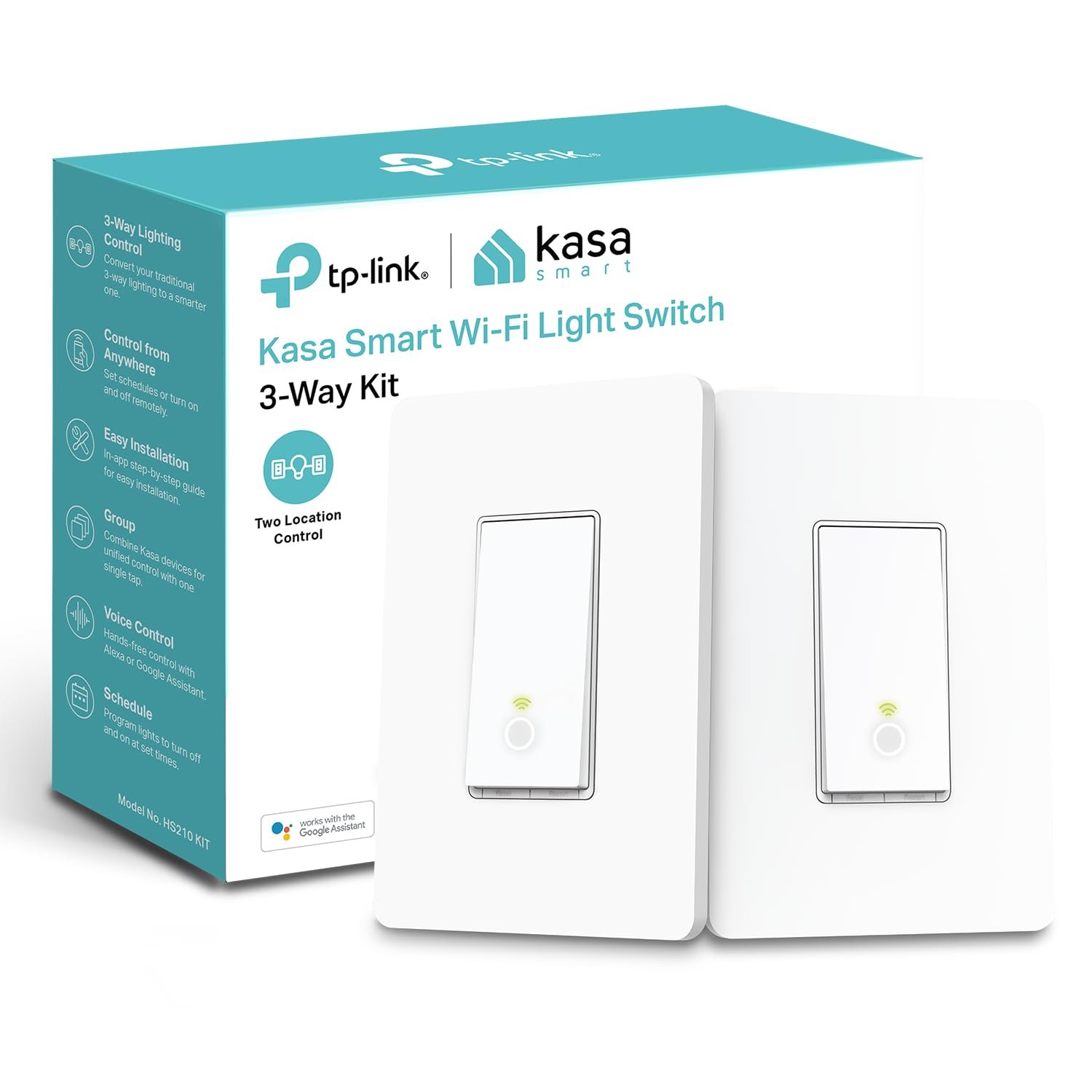


Control your lights, ceiling fans, and other fixtures from anywhere with the HS200. The smart switch replaces any standard light switch, and connects to your home Wi-Fi in no time through the free Kasa app. Kasa also lets you manage connected fixtures with your smartphone or tablet, including setting schedules, timers and countdowns. For added convenience, you can use your voice to control the HS200 when paired with works with Amazon Alexa, Google assistant and Microsoft cortana.Input Voltage: 100 – 120 VAC, 50/60 Hz, 15 A.
App-Guided Install: The Kasa or Tapo app guides you through step-by-step setup. Requires neutral wiring and 2.4 GHz Wi-Fi. Consulting an electrician is recommended if you’re unfamiliar with electrical wiring
Control From Anywhere: Monitor your light status. Turn electronics on and off from anywhere with your smartphone using the Kasa app, whether you are at home, in the office or on vacation
Voice Control: Enjoy the hands-free convenience of controlling the lights in your home with your voice via Amazon Alexa or Google Assistant; perfect for times when your hands are full or entering a dark room
Scheduling: Use timer or countdown schedules to set your smart switch to automatically turn on and off while you’re home or away. Enable ‘away mode’ to randomly switch on and off to trick potential intruders
Trusted and Reliable: Designed and developed in Silicon Valley, Kasa is trusted by over 4 million users. UL certified for safety use. Dimensions without panel 4.13*1.71*1.74 in. System Requirements: Android 5.0 or higher, iOS 10 or higher
9 reviews for Kasa Smart Light Switch HS200, Single Pole, Needs Neutral Wire, 2.4GHz Wi-Fi Light Switch Works with Google Home, UL Certified, No Hub Required, White
Add a review

$15.99
D. Kodgis –
One was bad; the other switch was good and easy to install and set up
It is almond color which is what I wanted plus it is a single pole wifi switch and these were the other things I wanted. I ordered two. One was defective out of the box. Not a pleasant experience for the defective one but the other worked well and was an easy install. Two things. This must use a neutral so look for your white wires which may be capped together (older dimmer switches sometimes did not use a neutral because houses built before 1985 did not require a neutral for a switch) and thought the line wire is the hot wire…curiously enough the neutral wire keeps electric at the other side of the switch to keep it connected to wifi when the light switch is at the off position. It looks nice, it works, and it works well with Alexa. Setup was easy in the app.
Jeffrey Brant –
Very impressive WiFi light switch
I usually don’t give five stars to a product, but in this case, I must. I am so impressed about how easy it was to install and configure these switches (I bought two, installed side by side in the same wall box) and how well they work. I installed these to control some outdoor flood lights attached to my barn/work shop that is over 100 feet away from my house. The access point is located on the second floor of my house on the side facing the barn. With my cell phone, I can usually pick up about 2 bars of WiFi out there. So I wasn’t sure that these switches would work with the weak signal. But they had absolutely no problem connecting and staying connected to the access point.Being able to create programs for these switches (like on at dusk and off at dawn) as well as being able to turn them off and on with my cell from anywhere is great. No hub needed. No subscription required. They just work.For those of you worried about installing these, keep in mind a few things:1. You need a neutral (usually white) wire in the switch box. Not all electricians run neutral wires to the switch boxes. Fortunately, mine had a neutral wire in the box.2. Physically install and configure just one switch at a time so things don’t get confusing. Much easier this way.3. Follow the step by step installation instructions exactly that are available through the mobile app.4. When initially getting these switches on your network, you must connect your cell phone to the local peer-to-peer network broadcast by the switch when it is powered up. Keep your cell phone close to the switch to do this. Follow the prompts in the app. Once it adds itself to your network (it will ask for the network password), the switch’s local peer -to peer network will disconnect and disappear. Your phone should then reconnect to your usual WiFi router or access point. Once that happens, the app will show your device (which you can assign a custom name and icon to) and then start programming or controlling it from your mobile device. You do need to create a free account with Kasa, but you can do this directly in the mobile app when you begin installation.As long as these switches hold up long-term, I will be very happy with them. Sure, they are a little pricey compared with some knock-offs from competitors, but otherwise they seem to be great. Oh, and they work with Amazon Alexa devices, too, using the Kasa skill.I guess they only slight gripe I have is that these switches should be available in ivory as well as white, as the rest of my wall switches and outlets are ivory. But with an ivory switch plate around these switches, they don’t look too out of place.
Josh –
Honest Opinion
Love these! Great way to add some automation to your home. I have installed about 15 of these in my home. Great for exterior lights!Install is simple for those that have a basic experience of 110 electrical wiring. I would suggest that if you are at all unsure of how to install, you get a professional to install. As with any of the classic junction boxes, there is very little room for wires and wire nuts behind the bulkiness of the switch.Setup on the Kasa app is easy. The app walks you though step by step. Easy to connect you your home wifi and operate with the app or with Alexa or Google devices.Switch appears to be decent quality. Of all the units I have installed, I have only have 1 fail. These are not dimmable nor are they designed for multiple poles. These are single pole units, but you can by multi pole units on Amazon.Overall, I would and have recommended this product to anyone who wants a non-subscription home automation product.
VegasGuy –
READ THIS: If you are having trouble completing the setup process
I’ve had one of these switches for many, many years. It works fine in all aspects, and at the time of setup, I didn’t have any trouble connecting to my network and completing the setup process. Fast-forward to November 2025, I needed another one. The HS200 model. For the life of me, I could not complete the setup. I tried restarting it. I tried resetting it. Turned off my Battery Saver. Nothing would work. I was exasperated and ready to send it back to Amazon, thinking I had a defective smart switch.But then, on a hunch, I looked at the available WiFi connections on my phone. There was one that said “TP-Link” and a bunch more letters and numbers, as far as I can recall. My Android 16 Pixel 7 phone also said that the TP-Link WiFi SSID did not have an Internet connection. Bingo! That is the temporary WiFi SSID for the TP-Link Smart Switch that enables its setup connection. But Android 16 will only connect to a non-Internet connection for a few seconds before switching back to another WiFi that does provide Internet.So, I connected to the TP-Link WiFi again via Android WiFi settings connections, but this time a checked the box that said to stay connected regardless of it not having Internet access. Eureka! That did it! I went back to my Kasa app and resumed the new device setup. This time, when Kasa searched for my new smart switch, it was able to make a permanent connection to the smart switch’s non-Internet WiFi and stay connected. The rest of the setup went as expected.The switch was NOT defective. It was just how Android decides to “help” a user to not stay connected to a non-Internet WiFi connection. This help consists of disabling that connection after a few seconds, and switching back to one that does have Internet. And that is what was making the setup process fail.If you were having trouble, I hope you found this helpful.
Eva’s dad –
Works great
MARISOL F. –
Funciona excelente, no trae instructivo así que tuve que buscar la forma, recomiendo que se instale si tienes cerca unos contactos para que de ahí saques el neutro, en mi caso tenía el interruptor y contactos en el mismo lugar por lo cual pude ponerlo, mi instalación no tiene tierra física así que no conecté ese.En resumen es muy buen producto, pero requieres conocimiento básico sobre instalaciones eléctricas.
E. Magnusson –
Worked perfectly out of the box, and super simple to set up. Connects from my house wi-fi to the detached garage so that I can control the exterior lights remotely when I let the dog out at night.
Moises Moreno –
Excelente producto
J. A. Marcin –
Limpio, elegante y súper fácil de configurar. Después de configurar en la app Kasa pude agregarlos sin problema a la app Deco para controlar todo desde una sola app.