

TREATLIFE Smart Dimmer Switch 4 Pack, Single Pole Smart Switch Works with Alexa and Google Home, Neutral Wire Required, 2.4GHz WiFi Dimmer Light Switch for LED, CFL, Incandescent Bulbs
$69.99
Related Products



From the brand


TREATLIFE smart home products provide a new way to experience daily life, one that’s both intelligent and simple. Enjoy powerful control and convenient features no matter where you are.
Remotely turn your connected devices on and off via the Treatlife App, helping to save on energy and monthly bills.
New Release

Smart Fan Switch
Smart Dimmer Plug

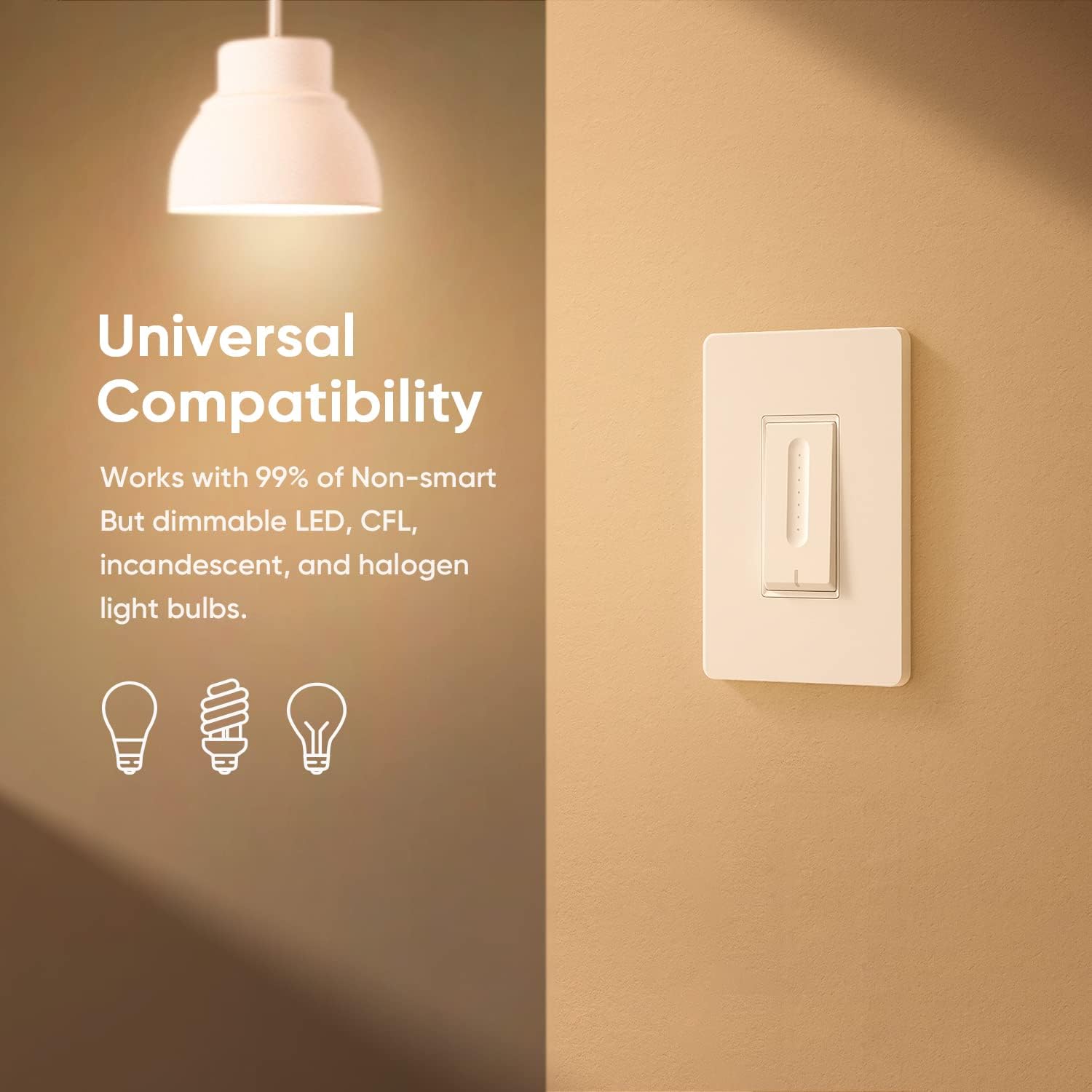
Compatibility for Bulbs: The smart switch dimmer only works with dimmable, non-smart bulbs–max 150W for LED/CFL, 400W for incandescent. Not compatible with smart or non-dimmable bulbs. Not compatible with Apple HomeKit
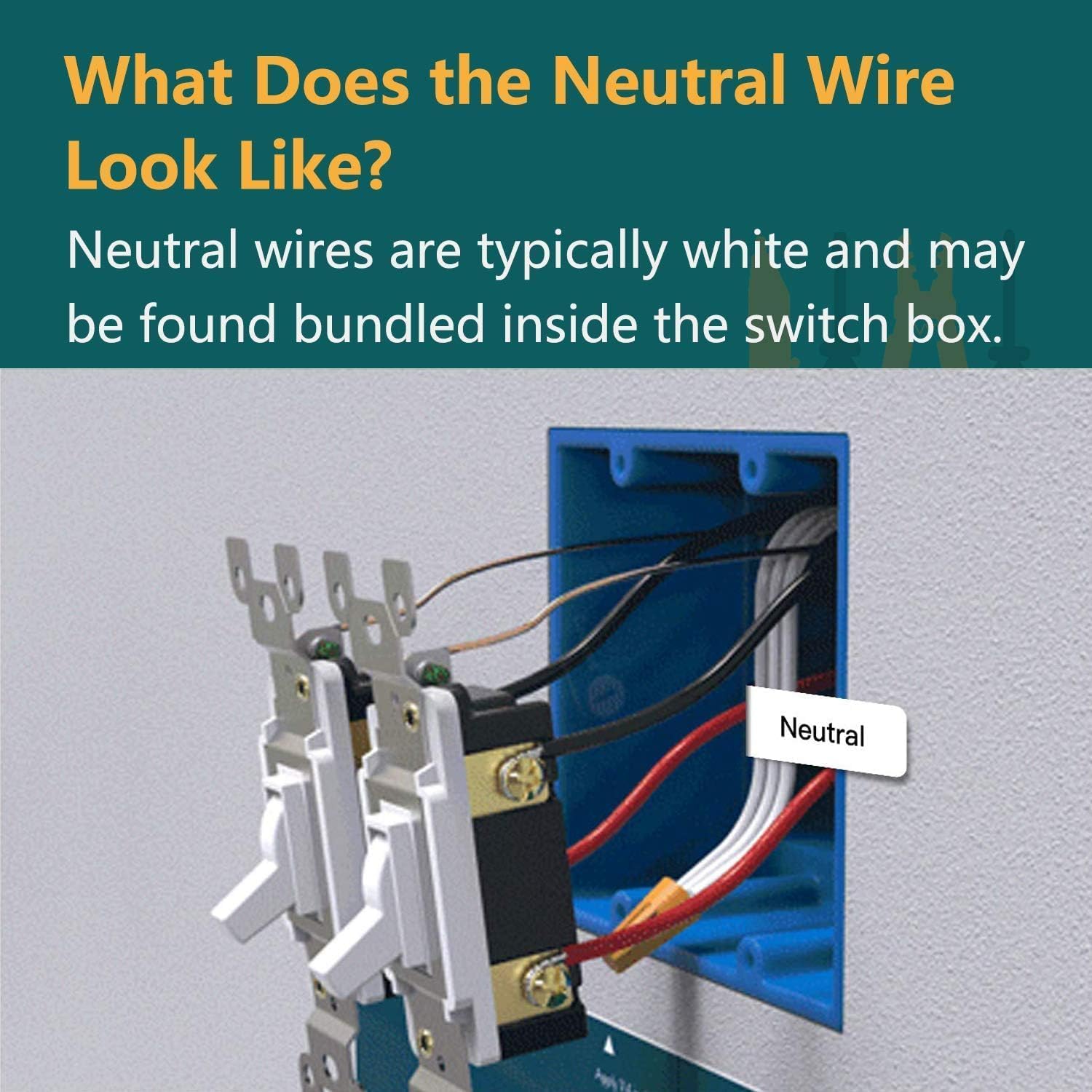
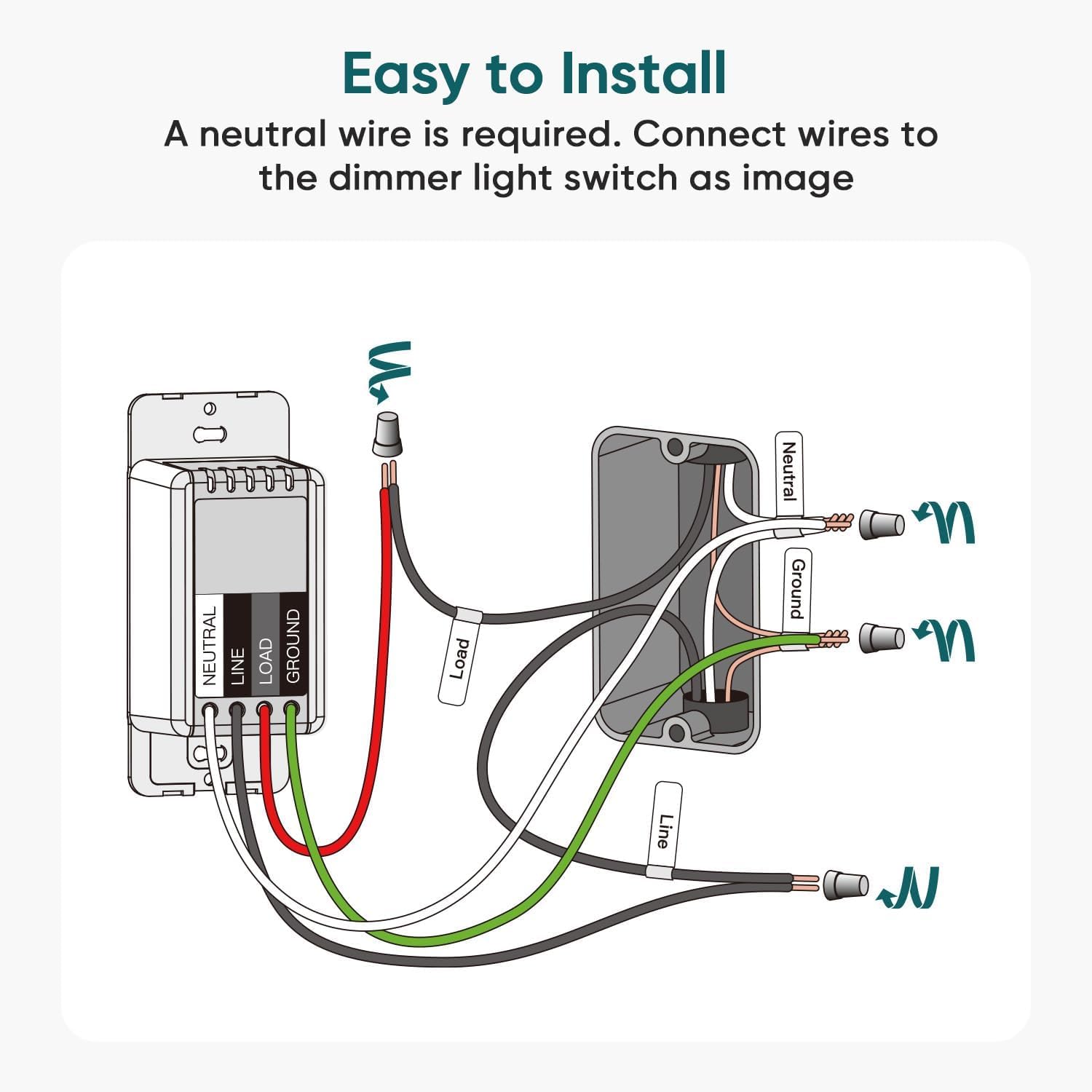
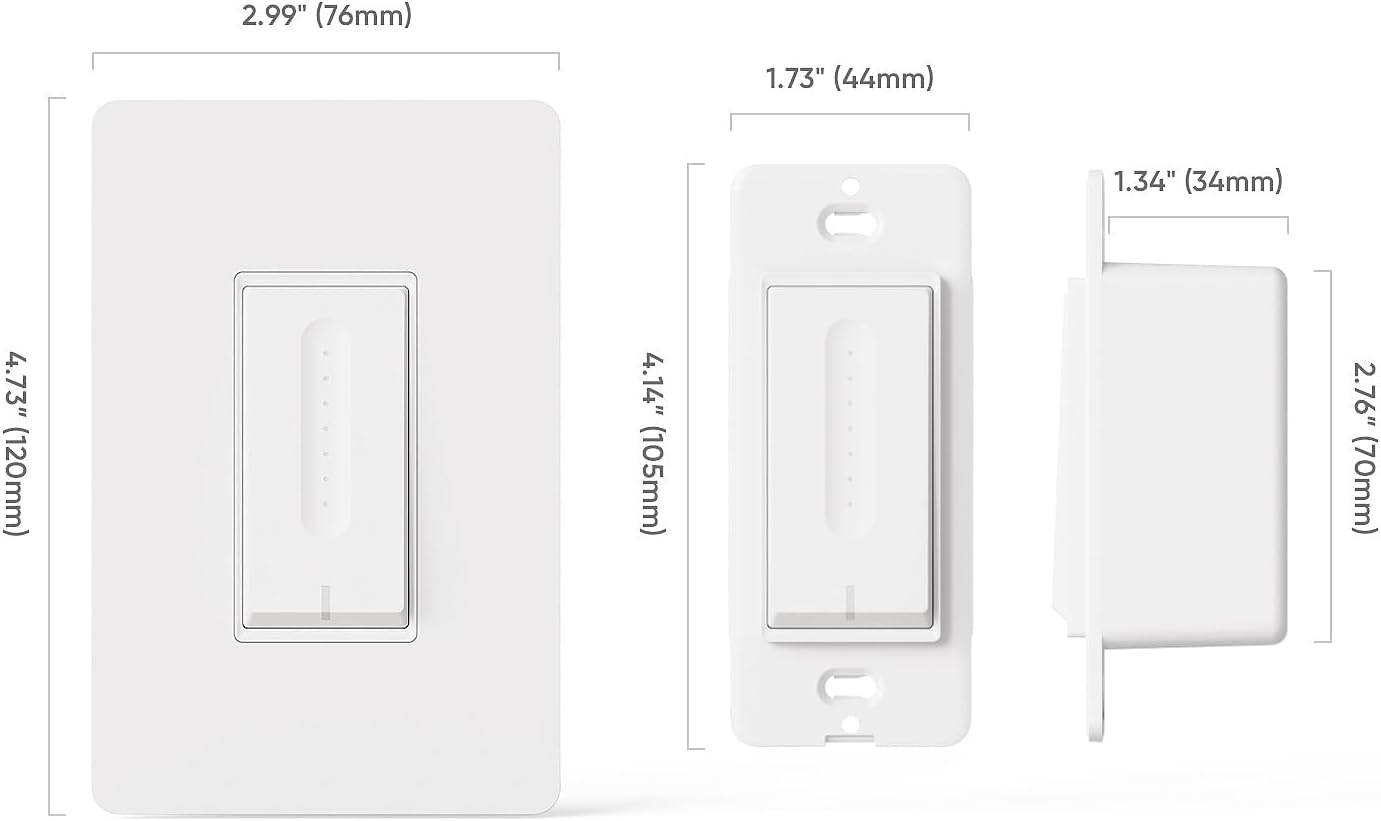
Compatibility for Wiring and Pairing: Need a neutral wire (note: some homes built before the mid-1980s may not include one). Only works with single-pole setups, not 3-way or multiple ways. Supports 2.4GHz Wi-Fi networks when pairing (5GHz not supported), no hub needed. Wall plate cover included, switch dimensions: 4.14″ (L) x 1.73″ (W) x 1.34″ (D)
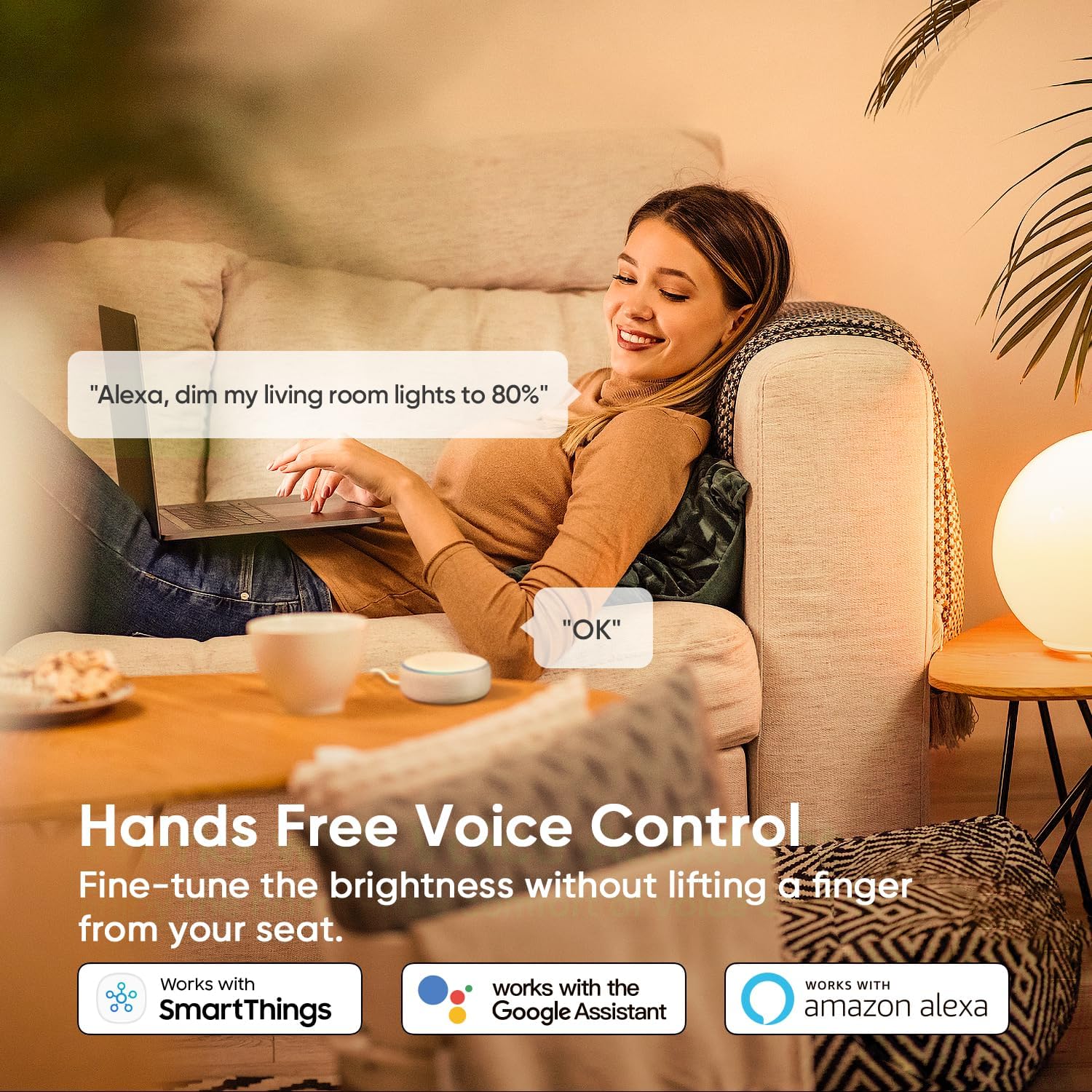
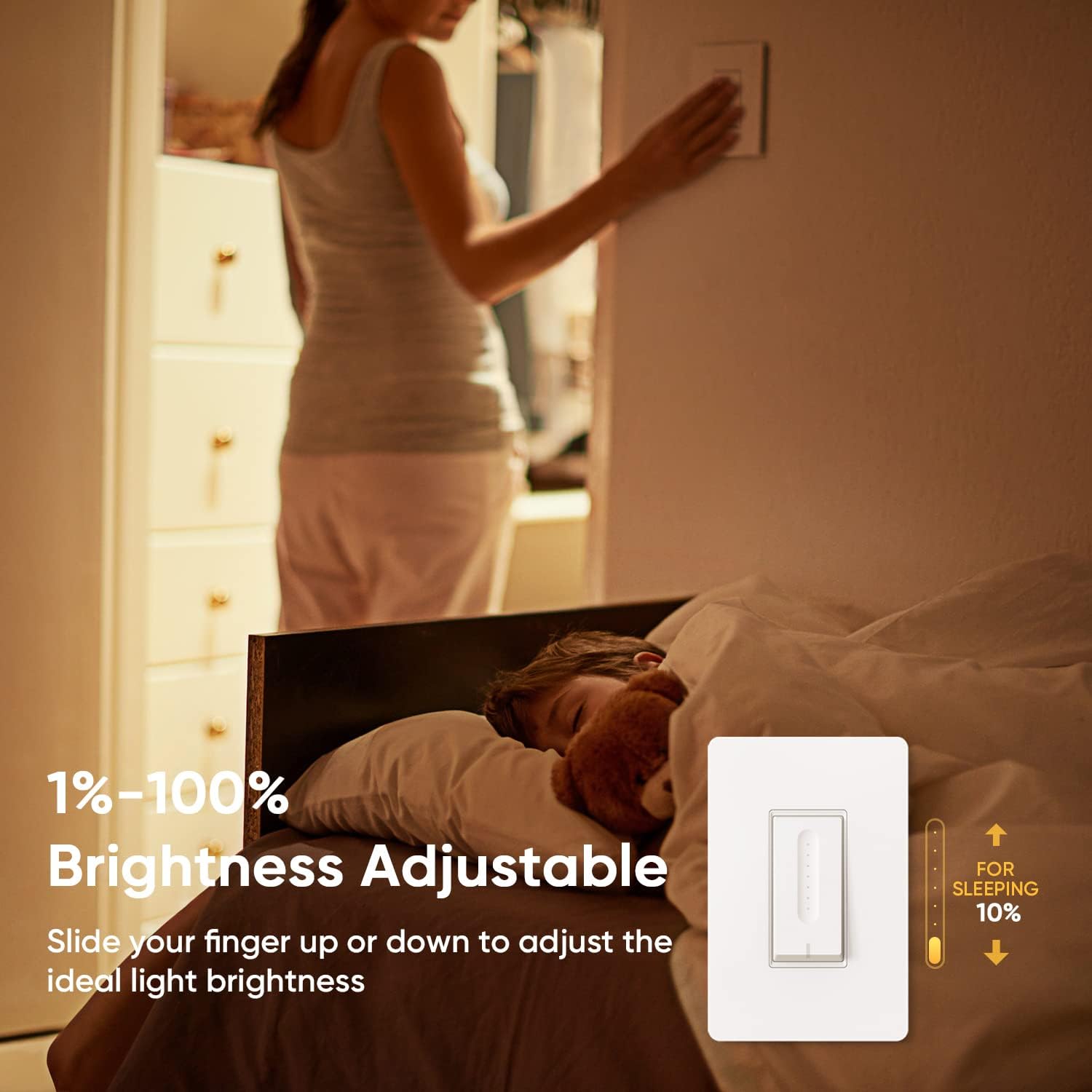
Adjustable Brightness and Voice Control: Smooth 1%–100% dimming with a tap, app, or voice command. The light dimmer switch remembers your last setting after power-offs and works with Alexa & Google Assistant for hands-free convenience
Smart App Remote Control: Control your lights anytime, anywhere via the smart app. Turn lights on/off remotely to deter break-ins, save energy, and set the perfect ambiance before arriving home
Custom Schedules and Family Sharing: Personalized schedules and group control let you automate lighting with preset brightness. Share app access so every family member enjoys the same smart lighting convenience
9 reviews for TREATLIFE Smart Dimmer Switch 4 Pack, Single Pole Smart Switch Works with Alexa and Google Home, Neutral Wire Required, 2.4GHz WiFi Dimmer Light Switch for LED, CFL, Incandescent Bulbs
Add a review

$69.99
JoeyTheFoxxo –
My Favorite Smart Switch.
I have owned a multitude of smart switches ever since I got Alexa three years ago. I went for big brands (WeMo, TP-Link, Lutron) but have always hated myself for spending so much money on them. This is not to mention how laggy and awful most of them performed (my internet is 250 MBPS by the way). I have a lot to say about the TreatLife smart switches so I shall break my review up into sections for your sanity.-Ease of Install-These switches were extremely easy to install. I am saying ten minutes per switch maximum. You must make sure that your home has the neutral (white) wire and have enough room in your electrical box for a dimmer. Always remember to shut off power at the circuit breaker before attempting any work yourself, and if you are uneasy, call an electrician. Hardware is provided, such as screws, wire nuts, and a single gang wall plate. Some of the bigger brands were way harder to wire up and some didn’t even give hardware. Also unlike other switches, it works with any decora wallplate (not just the supplied plate).-Looks and Feels-I love the style of this dimmer, it is just simply beautiful to look at. Some other dimmers I have tried don’t look nearly as nice as this one. I absolutely love the touch dimming slider and the way it glows. On standby, the night light/ indicator light at the bottom will be lit and one led will show the level that the dimmer is set to. When on, the night light will turn off and the dimmer will again show one led indicating its level. When you touch it, it brings a solid bar up to the light level it is set to. The construction definitely feels like some cheap plastic, but that is like every single switch in the market. It’s not nearly to the point where I feel like I’m going to break the thing.-Control-The main on/off button sounds and clicks like my mouse, and is very likely a similar button mechanism. Not necessarily an awful thing, just something to get used to. The touch panel for the dimmer is the coolest thing ever. I very much prefer it over a traditional button or slider. It adds that little futuristic touch, you know? A double press of the main button sets the light level to minimum, which is a pretty cool built-in shortcut I use a lot.-Wi-Fi Connectivity-Setting up the connection and pairing to my smart home accounts was a breeze. It automatically goes into pairing mode upon the initial power-up. Resetting is simple as well, all you need to do is hold down the on/off button for several seconds. You will know it’s in pairing mode as the night light/ main indicator will rapidly blink red. Once paired though, it will hardly give issues. I have six of these, four are close to my router, and two are very far. I had mentioned earlier that my WiFi speeds are in the 250 MBPS range, but for the farther switches, it can dip down to about 20 MBPS. There was only one instance where one switch lost connection but overlook it as it has not happened again in over a year. The worst that happens is a slight (5-second max) lag when turning on from a phone, although very uncommon.-Alexa and Google Home Integration-Honestly one of the easiest for Alexa and the Google Assistant to pair. Alexa automatically adds it to the app without even having to go into device discovery mode. I will admit I use Alexa way more than Google, so all I can say about the Google Home is that it will turn on and off the device. As for the Alexa control, I know for a fact she can power on/off, dim to any percentage, and integrate routines. My absolute favorite routines that I have made is an alarm that gradually brings up lights and one where if I say “Movie Night” it switches my nightlight led trim downlights (recommend you look those up, they are very cool) and dims all the lights to 10%.TL;DR: Just buy it. It is a fantastic switch and you will love it as much as I do.P.s. I know the walls in the pictures attached look ugly with their gaps and uneven surface, that’s on the list of fixer-upper projects. I originally was not going to attach a video but I did last minute.
Jason –
Smart light switches at a great price (and good quality)
I bought a bunch of the Treatlife smart switches for my new home — we have mostly LED lighting throughout and I wanted to be able to control everything with my Google Home. These work super well and I’m keen to buy a few more of the 3-way switches when they’re back in stock.Pros:- Look really elegant and simple — I didn’t like the brands that have a bunch of buttons, this looks just like a normal switch and fits in with the others in my house- Works extremely well with Google Home and Assistant, I assume the same for Alexa- Installation is fairly easy for someone who’s relatively handy (don’t forget to turn off power at the breaker!) but a little tricky to find the neutral wire if your previous switch doesn’t have it- Routines — I have the porch lights on one of these switches and I have them automatically turn on (to a set brightness) at sunset and turn off at sunriseCons:- They’re not consistently in stock (which hopefully they’ll get better at over time)- Every once in a while the status light on the bottom glows red, and we can’t figure out why. The lights still work and respond to my voice actions, just glow red…- The color is a slightly bluer white than my other switches, but your milage my vary and I plan to update all my switches anyway
mike barbalace –
Great product, provides a good solution to control our lights
Make sure the wiring works, fortunately ours did and the product was very easy to install. We did not have easy access to turn on and off the lights in the living room and basement. This was an excellent solutions, can leave the room and turn off the lights from our bedroom, we are really happy with the system.
TheFunBunch –
Great dimmer switch! Very easy to install. Many different settings for compatibility.
Update:After 2 years: 2 of these switches have failed and had to be replaced. Not sure why, could possibly be because of power surge? Dropping 1 star.Original:These switches were very easy to install and look great in a multi-gang box, or as a single! The box only comes with plates for single installation. There are some good youtube videos online on how to install switches. The only difference between these switch and traditional switches is that these switches have a white wire that needs to be attached to the other white wires as well. If the switch/lights don’t turn on when the power is resumed, you probably need to swap your black wires.They have a touch-slide interface for manually adjusting the brightness of bulbs. They also have an increasing turn on and decreasing turn off, as not to startle or blind you as they turn on.The software has a great easy-to-use interface for changing the brightness of the lights, or you can simply ask your digital assistant to do it for you! Additionally, you can set up daily schedules to turn on and off the lights, or set up smart events that are related to other devices in the house. (If you turn on this switch, turn on other smart lights or smart bulbs in the house)You can set a minimum brightness, to avoid low-voltage flickering on some bulbs. There is also 3-different dimming modes. I can’t really explain them, but playing around with it, I found that some modes offered a smoother dimming then other modes, depending on the type of bulbs it’s used with.Make sure your bulbs are dimmable, and don’t use these on any other device besides lights. Don’t dim smart bulbs with a smart switch.
Laurie –
The guy who owned this house before us installed lights everywhere. My husband had a bad habit of leaving lights on.These work with Google home, so even if I’m out of town, and he leaves the lights on when he goes to work, I can tie. Them off.You can also program them to turn on or off at various times. Well worth the cost when you consider the kk g term savings.They were very easy to connect to wifi.
DeviMoni –
I installed a 4 pack on 1 Feb 2020. We have a single Google Asus OnHub that services our 3-story house including finished basement. The setup process was simple and worked flawlessly in all four installations. Here are the specifics;1. Living Room – 4xE26(A19) 8.5W bulbs in two (2) lamps, set minimum dimming to 1%, -56dBm2. Family Room – 4xE26(A19) 8.5W bulbs in two (2) lamps + 1 internal LED, set minimum dimming to 1%, -33dBm3. Cat Room – 2xE26(A19) 8.5W bulbs in one (1) ceiling fixture, set minimum dimming to 1%, -58dBm4. LG Kitchen – 2xE26(A19) 8.5W bulbs in one (1) ceiling fixture + 3xGU10 6W bulbs in one (1) ceiling fixture, set minimum dimming to 1%, -48dBmAll Wi-Fi connections are solid, i.e. no drops and of “Good” quality, the furthest distance from the Router is about 30 ft and all bulbs dim without flickering from 100-1%. I use the “Smart Life” and “Google Home” apps on an S9+ running Android 9.0 and on an iPhone X and we currently have two (2) Home Minis to control the switches. All switches function as expected and without incident. The bulbs are also as bright as they were with the original mechanical switches, i.e. no loss of brightnessI purchased these switches for two reasons;1. So that my wife could turn on the lights in several rooms where we have cameras so she could better see her cats while we are on vacation2. To turn lights on and off while we are on vacationIssues;1. It is easy to change the dimming level when turning the switch on and off. There is a different model that would make this less likely.2. I understood from the description that these switches had a random timer, but they do not. When I subsequently reviewed the description, I noted that the wording could be interpreted several ways, one of which is that the user needs to set up multiple schedules to emulate randomness. I have several “EcoPlugs” that have this “random” timer feature which I have typically used while on vacation.Overall, they work well. Cannot comment on the long term reliability yetUpdate: 7 July 2020- Replaced the OnHub with the Google/Nest WiFi Router as I now have ~50 devices on our private network. The new router is physically smaller but actually offers significantly better range.- Now have 8x DS01C (touch sliding dimmer switch), 4x DS02S (2-button dimmer switch) & 4x SS01S (non-dimming switch), all are single pole.- Confirmed with Treatlife technical support that the switches DO NOT currently support a random timer feature- Use 3 dimmers and 1 non-dimming switch to control 7 exterior lights from dusk to dawn- So far so good, no issues to date (~5 months of use)- I plan to add several Treatlife 3-way switches in the coming monthsUpdate: 22 Nov 2020- We’ve experienced two (2) power failures recently and I noted that most of the dimming switches revert back to the default 15% brightness despite my setting them to 1%.- Reliability after ~11 months of operation for the first group of dimming switches has been 100%. We have experienced no failures of any of the switches to date.- One other issue that I neglected to mention previously relates to the installation. The switch housing is quite large and consumes most of the space inside the electrical box. I had difficulty installing the switches in several ganged boxes, as it seems that the original electrician created some of the ganged box from multiple single boxes rather than using a purpose built ganged box. As a result, there are small flanges inside the box that prevent the switch from seating properly, i.e. the housing will not slide into the box completely. I cannot change the box (obviously) so I had to cut the flange off, which as one might imagine was troublesome. This is not a criticism of the switch, it is just an example of a challenge that one might encounter due to the way the original boxes were made/constructed.- Another challenge with the multi-ganged boxes is the amount of cable, and I didn’t want to shorten the switch wires if at all possible, so it is a very tight fit.- The switch covers are larger than standard covers and in my opinion are more aesthetically pleasing since the screws are hidden. However, they only work for single boxes and most of my switches were installed into ganged boxes (see Pic). I ended up purchasing new switch cover plates that are very similar to the OEM plate, and these work well but do add to the cost of the installationLong Term (12 March 2022)I just ordered #17, the previous 16 switches are all performing well. The only other issue I’ve encountered is that one switch occasionally becomes unsynced from the rest when executing a smart action. I correct the issue by cycling the power to that switch, so I imagine resetting the switch would also work. This happens every 2-3 months. Also, a power outage to the house will correct the issue. Smartlife issues an alert when this event occurs so I am aware of it. BTW, the Smart action just runs these lights/switches from dusk till dawn.
John –
It’s been a week since I installed three of these dimmers in our playroom – loving them so far. The packaging, labelling, and the units themselves are really well made.I had to adjust our “old work” 3-gang electrical box to fit them, since the bolts holding the gangs together stuck out far enough within the box to interfere with the body of the dimmer (they are bulky for a reason, so make sure your electrical box is not of the crammy utility type). A quick pass with a metal file on the bolt shanks helped remove the obstruction, and the wiring was straightforward.Linking the devices with the Smartlife app takes seconds – all three dimmers were detected in 1 scan. The slick app even allows you to adjust the range and dynamic response of each unit based on light type, as well as lock the dimming range if need be. We use Google Home as our smart home management app, and integrating the switches via Smartlife likewise was a breeze. The touch sensors on the button face respond instantly, and the lights adjust via the app without any noticeable delay. Great job Treatlife!4/5 stars, only because of a few minor things:- While the switch build quality is on the level, the button is seated rather loosely compared to that on single-pole “rockers”, and tends to wobble from side to side easily. Not a big performance concern, since you aren’t likely to manipulate the button in this manner, yet a potential area of improvement.- One of the dimmers powered a fluorescent bulb that I will soon be replacing with a dimmable one, so I temporarily locked the dimming range of this unit at 100% to prevent light flickering. The range did stay fixed and cannot be adjusted from the face plate, though the white LED indicator on the face somehow remained at the lowest point – I had expected it to stay lit at the uppermost, at 100%.- Dimmer settings and configured range are reset whenever you cycle the breaker or after a power outage. This may be a bigger inconvenience when you have a dozen of them in the house and need to reconfigure all at once. An integrated LiPo element could have made the memory setting independent.
john –
Is a really good product man. It’s my go-to brand for using around the house. I’ve almost converted all of my switches to the app. Works great! Interfaces great with Google home and Alexa
Peter –
When I first bought these back in 2020, they were great. Setup with the app definitely took alot of trial and error. Frustrating but I did eventually get it working. They worked great for years but the smart aspect of them don’t work anymore. Smart Life app will not recognize the light switches no matter what I do. Setup is too difficult with lack of support. Do not recommend, try a different product