
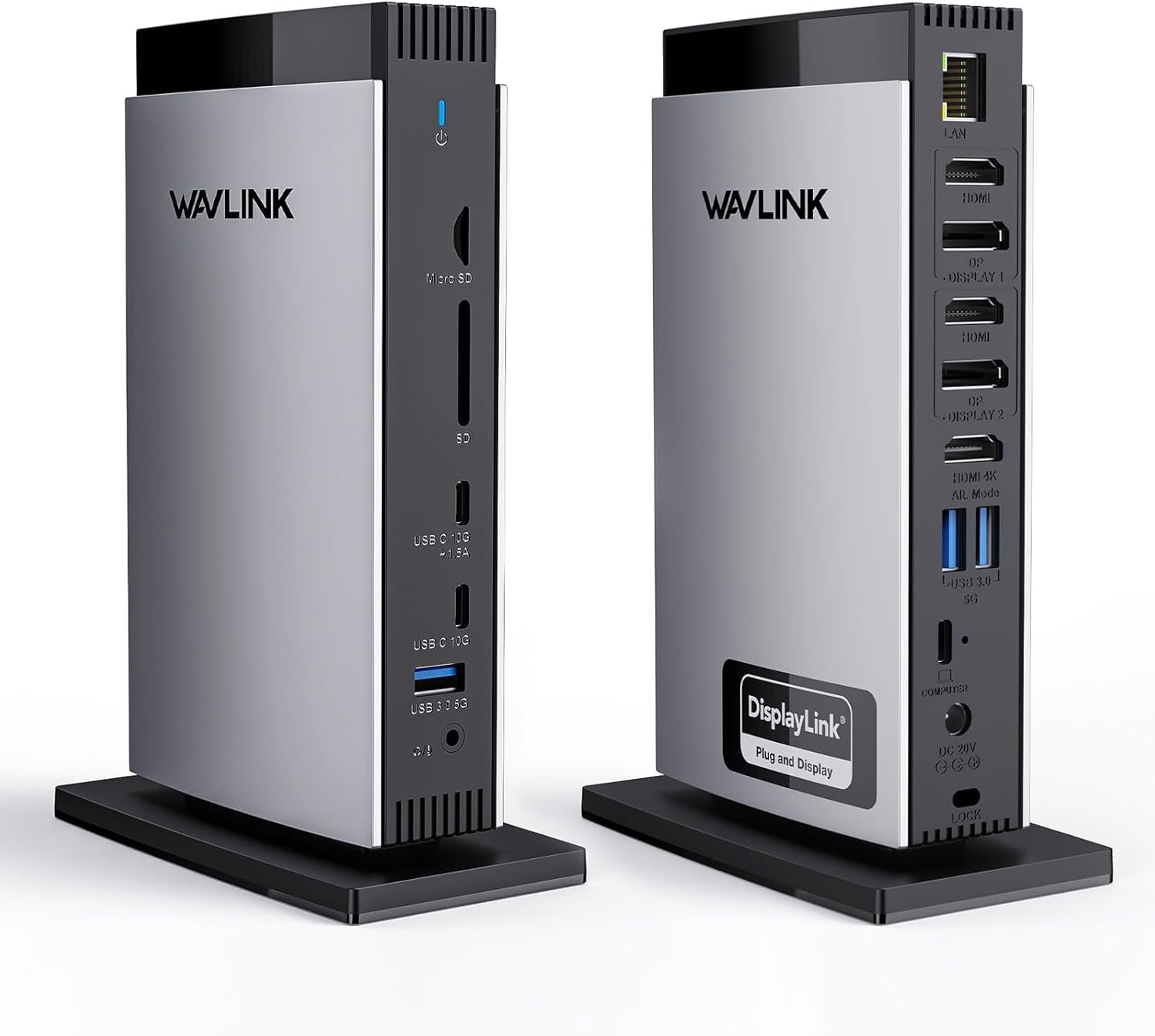
WAVLINK DisplayLink Docking Station 3 Monitors with 130WPD Power Adapter, USB C Laptop Dock for M1/M2/M3/M4/Mac and Windows, Thunderbolt 4/3
$25.99
Related Products


From the brand


Wavlink Triple Monitor Docking
Wavlink Dual 5K dock
Docking Station 5K 1 Monitors
NEW WiFi 6 Extender
Docking Station Triple 4K60Hz
Docking Station 4K+Dual 2K
Triple 4K60Hz-No Charging Port
Dual 4K60Hz-No Charging Port
USB WiFi Adapter for Desktop
Wireless Microphone Phone
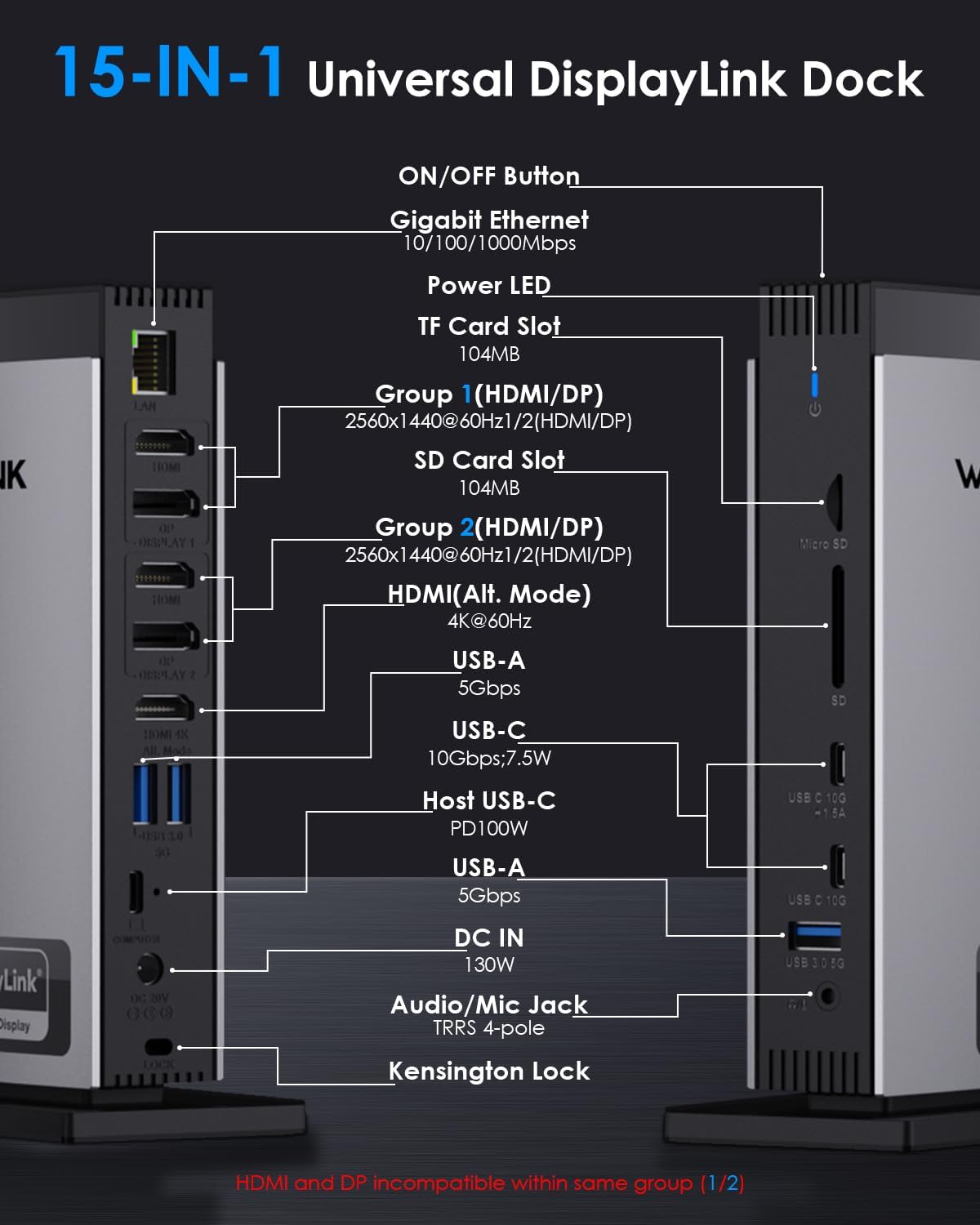
15-in-1 USB-C Docking Station: This docking station has 3 HDMI ports, 2 DisplayPort, 2 USB-C ports(10Gbps), 3 USB-A ports(5Gbps), RJ45 gigabit ethernet, SD/TF card slots, and a Audio/Mic ports, a host USB-C port. Connect to a compact laptop docking station via a USB C-C connection to provide convenience for your office or home work. Attention: HDMI (Alt. Mode) requires your laptop’s type-C port to support video output.
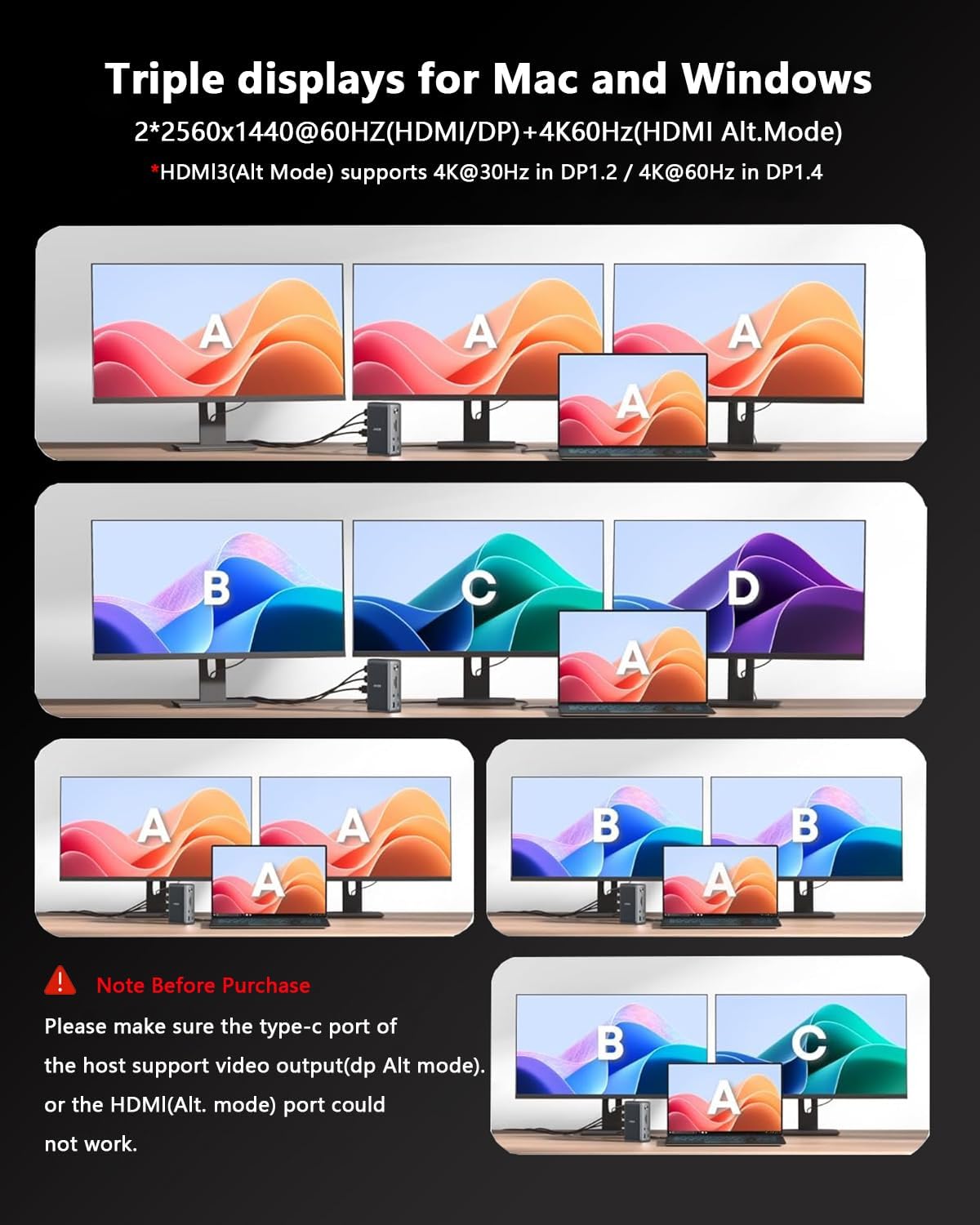
Triple Monitor Docking Station: You can easily connect 3 displays whether you are Mac or Windows! Experience exceptional 4K@60Hz output on the HDMI (Alt. Mode) port for tasks like video editing and gaming. The DisplayLink-6350 chipset enables dual 2K@60Hz displays on the DISPLAY 1/2 (HDMI/DP) ports, perfect for expanding display options on M1/M2/M3 Macs. Great for web browsing and productivity applications; Note: Only one of the HDMI and DP ports can be selected.
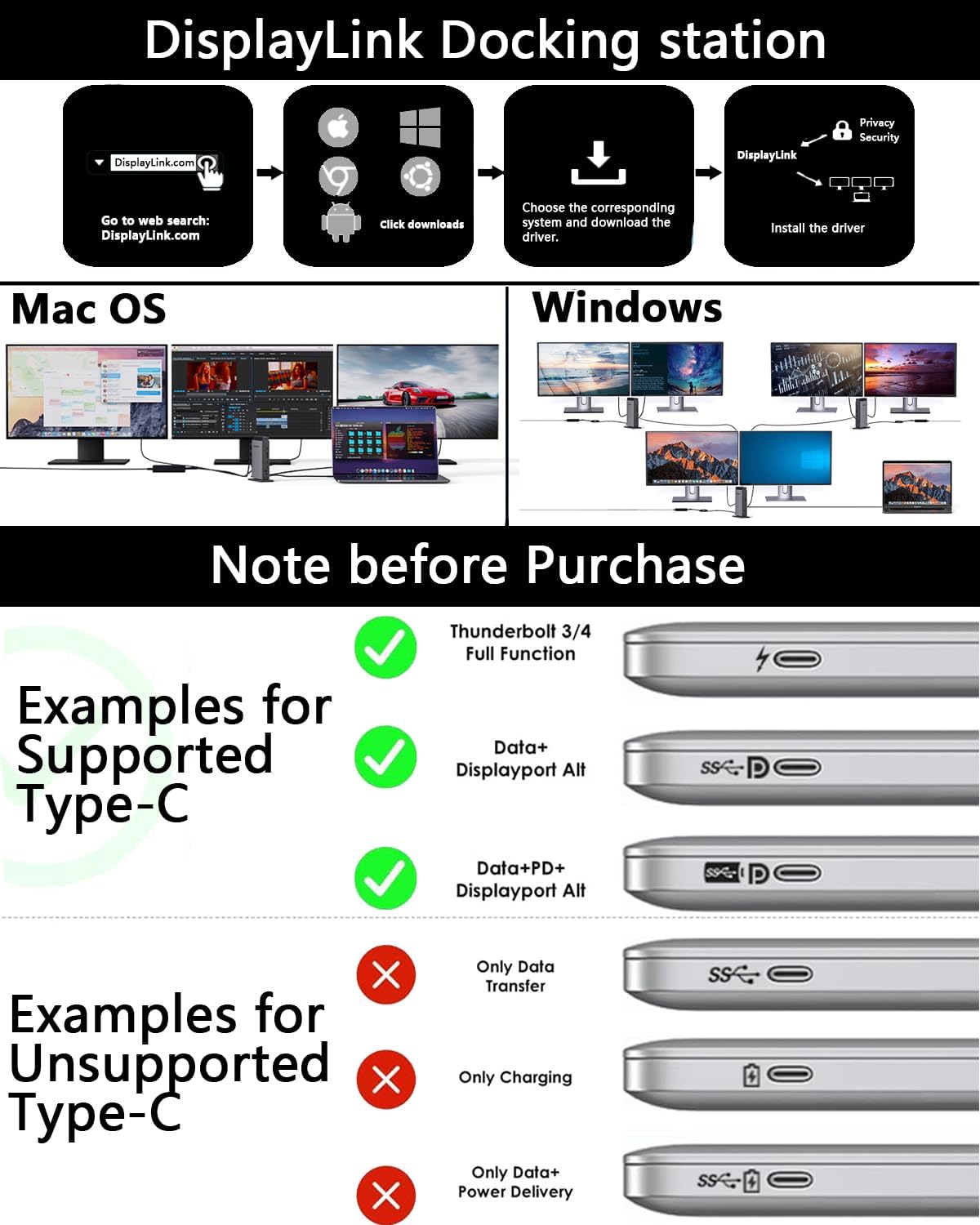
Wide compatibility: Wavlink docking station perfect for laptops with a full-function type-C port or thunderbolt 3/4 port. Support Windows 11/10/8.1/8/7/XP/Vista, Mac OS 10.14-14. x and latest, Chrome OS, Ubuntu, Android and Harmony OS. Not compatible with Unix systems, Linux, iOS and iPad OS.Does not support plug and play; the installation of the latest DisplayLink driver is required.
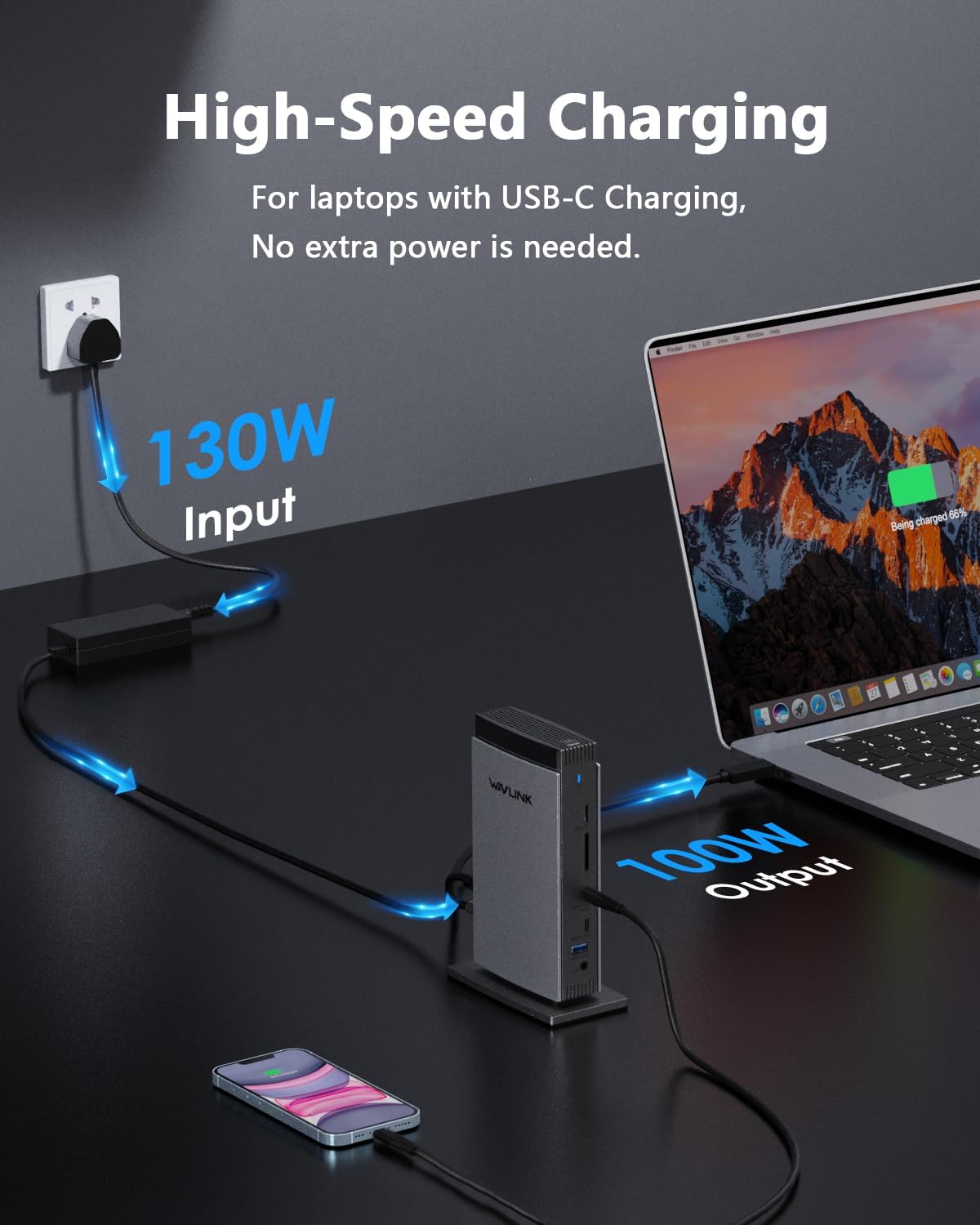
Adequate 100W Power Supply: Equipped with a powerful 130W power adapter, the host’s USB-C port can provide up to 100W charging power for laptops. Additionally, the USB-C port can also supply power to charge your phone or other devices, ensuring they operate continuously throughout the day while also powering connected peripherals for data transfer or display. Please ensure that the host’s Type-C port supports power delivery functionality.
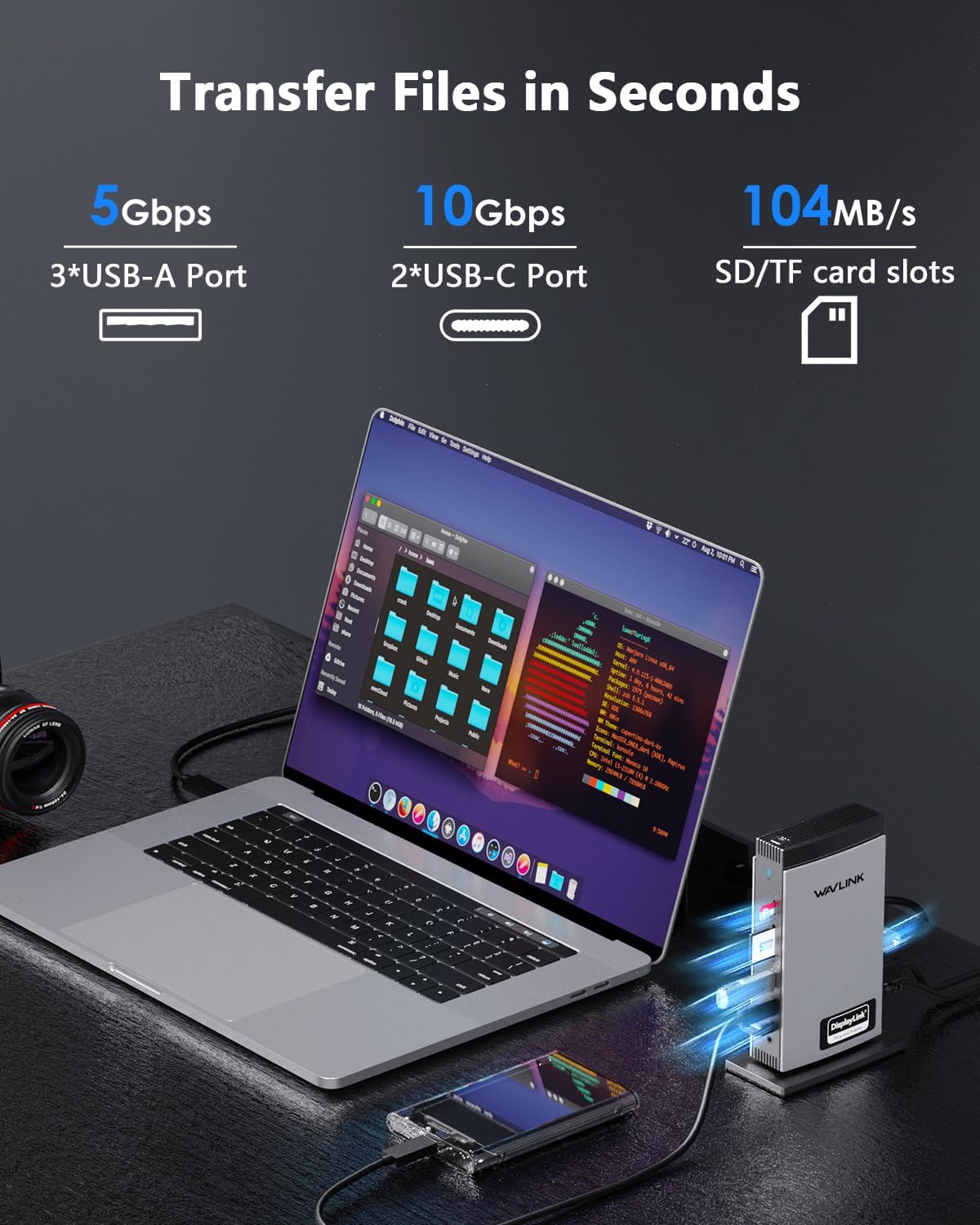
Super-Speed Transfer & Stable Network: Enjoy quick file transfers with 3 USB-A 5Gbps and 2 USB-C 10Gbps ports, perfect for connecting external hard drives and USB devices. The SD/TF card slots offer fast transfer speeds of up to 104MB/s, ideal for photographers, designers, and filmmakers to store their work effortlessly. Stay securely connected with the gigabit RJ45 ethernet port, providing stable wired network performance.
13 reviews for WAVLINK DisplayLink Docking Station 3 Monitors with 130WPD Power Adapter, USB C Laptop Dock for M1/M2/M3/M4/Mac and Windows, Thunderbolt 4/3
Add a review

$25.99
Der –
Works great for 3x monitors (using DisplayLink v13.1 drivers not v14)
IMPORTANT NOTE ON MOUSE LAG:When I first set this up I was getting horrible mouse lag on the monitors connected over DisplayLink. After testing, this is caused by using DisplayLink Manager v14+. Instead, download v13.1 from the DisplayLink site and this will fix the issue. I tested with v13.0, v13.0( from Wavlink’s site), v13.1, v14.0, and v14.1. For both v14 and v14.1, there was extreme mouse lag. For all v13 versions, there was no lag at all. Putting this at the top as it almost made me return it before I figured it outWorks great used with a MacBook Pro to connect to 3 external monitors.I have it connected to 2x 2560×1080 ultrawide as well as a 2560×1440 monitor as well. It runs one of the ultrawide and the 1440p over DisplayLink at 60hz and the other ultrawide at 144hz over the HDMI Alt mode.
AS –
Nice docking
Works great..They were purchased for my home office.
P. Friedman –
Great – But – does everything & super easy but not enough AC power
Initial reaction: I have an HP Pavillion 16″ laptop with 2 separate large monitors (LG and Samsung – one uses HDMI, the other DP) plus separate wired keyboard, mouse, SC card reader, ethernet wire, and SSD drive. Super easy to connect everything (no longer need the separate SD card reader), no slowdown in data or use, plus I didn’t even need to download the special video driver for everything to work properly. It’s also small enough to tuck it out of the way and hide all the cables. So thrilled I got this one. Now it’s just 1 cable to disconnect and I’m off with the laptop.Update – I started having problems with my laptop shutting down & restarting – only when on a Zoom or Google Meet video call after 15-25 minutes. Sometimes happening several times during a meeting. After testing, I verified the problem is that the dock is not supplying sufficient AC wattage to the laptop during the video calls. So during these video meetings I need to also plug in the HP AC connector in addition to the WAVLINK. The WAVLINK specs say it provides UP TO 100 watts of AC power and the HP needs 90-150 watts so I thought it would be OK, but it is not sufficient.
Alex James –
Gets the job done easily
worked instantly and seamlessly a little hot but handles heat decently but i avoid charging my phone on it to keep from over heating.
G. Miller –
Mac extended displays!
So far so good, works on windows and actually extends desktop displays on my MacBook!
E.S. –
Major upgrade to my setup
This replaced a flimsy cable “dock” for my macbook that previously connected to a single monitor.I’m now using this with two monitors and loving it. Not only is it sturdy and stable, unlike the previous one that was always coming unplugged, due to the pull of the power cord and weight/size of the box hanging right off the edge of my laptop, this stays very firmly in place on my desk and I’m free to position the laptop however I want.The additional powered USB3 ports are great too because as anyone with a Macbook knows, you otherwise need all sorts of things to be able to connect multiple peripherals, that USB3 speed and not having to worry about things like external drives sucking too much power is great.I know it’s easy to say this thing is amazing going from a $40 dongle to what this is when it’s priced at over 3x more but it’s so much more of a quality of life improvement in terms of functionality and connectivity. Being able to have more than one full-sized monitor connected is great, too. Video quality has been great with no noticable lag to either of my monitors.The size is compact enough to hide it behind one of the monitors. It’s small enough and light enough to store in a laptop bag but that wasn’t my reason for getting it so I can’t speak much about using it on the go.It’s pricey. I know that the two-monitor adapters are up there in price and that part of this one’s premium price is that it allows for a third – something that my Macbook would not otherwise natively allow so I’m thankful for having that potential upgrade path. Thinking about looking for an after Christmas sale to add a third monitor for my setup!
Gianna –
The most pro dock I’ve used
PC docking stations are a dime a dozen, but that doesn’t mean they’re all created equal, as this DisplayLink docking station proves. You can tell as you open the package that this is a truly premium piece of hardware. First of all, it has basically every kind of port you could possibly want from your PC: everything from ethernet to SD card slots, plus a ton of HDMI ports to connect as many monitors as your heart desires. Second, out of all the docks I’ve tested, this one is the most responsive by far – you plug something in and it becomes available immediately. The stability of its connections makes it ideal for essential devices and/or those with a high power draw, such as external drives. Third, the fact that it connects to an external power supply means that it can even be used to charge some USB devices. Yes, it’s expensive, but you definitely get what you pay for. If you’re the kind of power user that needs to have a ton of monitors plugged in at once or needs to make sure that your docking station is the fastest and most reliable one out there, the WavLink is for you.
Lixa –
Great replacement from my previous docking station
I’ll start with why I took off a star: I noticed quite a bit of lag when I used this at first. It was to the point I just didn’t want to mess with it anymore and went to write a review about the issue, when I saw that someone else had the exact same thing with theirs, and solved the problem by downloading v13.x instead of using v14.x. I tried that, and it worked exactly like I wanted. That does deserve a star off because if multiple people are experiencing this, seems like it should have come up in QA at some point, and sould have been bugfixed before rolling out. But whatever, v13 works fine enough for me so it is what it is.Outside of that, this is working great. It’s a thin-profile box, so it’s easy to hide along the side of my desk, and it has ports for pretty much everything.I have used this for both a Mac as well as a PC (Mac for work, PC for contract job) and it worked well for both laptops.
Rob –
This device worked seamlessly with my set up and enabled the use of 2 additional monitors for my Macbook Air M3 (2024 model).its very quiet, (almost silent) and the inclusion of a locking support for the host USB-C connector (similar to the old screw in VGA connectors) is excellent and provides peace of mind for a stable connection.The external power supply means that the host’s power supply is no longer needed and the host can be powered and connected all through one USB-C/ Thunderbolt cable.My last dockw as for an Intel mac and did not work with the M3 Air. I didnt mind spending the extra money for this device and I do not regret it at all. The previous device used to have moments of intermitent connectivity, where as this WAVLINK worked straight out of the box, once the driver was installed. Excellent value for money.I have not tested it with other devices but for my needs its perfect.
Amazon user –
Has maintained high-resolution across all 3 monitors and high charging power which was the ultimate goal for me that other powered/non-powered stations did not.
adamskindle –
Doesn’t work with a MBP M4 as advertised. Every permutation of cable doesn’t work.
Alber –
Es un producto absolutamente espectacular, os la recomiendo muchísimo, aparecen muchísimas en el mercado distintos precios y capacidades pero te aseguro que ésta cumplirá con tus expectativas. No se sobrecalenta, puedes poner Mouse y Ratón y va fluido, altavoces, soporta 3 pantallas externas a la perfección, te carga el portátil, tiene función de apagado y encendido se conecta por el Cable Lan perfecto. Mis dieces.
Cliente Amazon –
Ottima connessione con due monitor Samsung Odissey, sia con Macbook (scaricando software apposito) sia con Windows (solamente con porta VGA o HDMI, no software).Alta definizione e veloci tempi di risposta.