

11-in-1 USB C Hub, Laptop Docking Station with RJ45 Gigabit Ethernet, 4K HDMI, 1080P VGA, SD/Micro SD Card Reader, 3.5 mm Audio Aux Jack, PD 100W Charging, Full Functional USB C Dongle
$15.88
Related Products




11-in-1 USB C Hub Ethernet HDMI Adapter, Laptop Docking Station with 4K HDMI, RJ45 Ethernet, VGA, 3.5mm headphone Jack, SD/TF Card Reader, USB 3.0/2.0, PD 100W, LAN USB-C Dongle for MacBook Pro/Air, iPad Pro, XPS, etc
【One Dock for All Needs】: This 11 in 1 USB C hub includes 1 *4K HDMI port, 1*RJ45 ethernet port, 1* 1080P VGA, 1* 3.5mm headphone aux jack, 1*USB C 3.0 Port, 1*USB A 3.0 Ports, 3 x USB A 2.0 Ports, 1*USB C PD 100W charging port, and SD/Micro Card Reader. This USB C dongle applies to all Type-C laptops, perfectly combined all the functions you need. Fully plug & play, no need install driver or set up.
【USB-C to HDMI VGA Adapter Dual Monitor】: This USB C to HDMI multiport adapter supports Mirror or extend your screen with 4K HDMI output and directly stream 4K@30Hz UHD or Full HD 1080P@60Hz video to HDTV,monitors,or projectors.Enable you share stunning movies/games on a bigger screen!Ideal for school,office,home,and game.(Note:The host USB-C port on your device must support Display Port Alt Mode or thunderbolt. ).
【USB C Ethernet Adapter】: Euiped with a RJ45 Ethernet port, this usb c to rj45 ethernet adapter Supports 10/100Mbps speed.It provides faster and more stable nework data transfer and better security than most Wi-Fi connections.
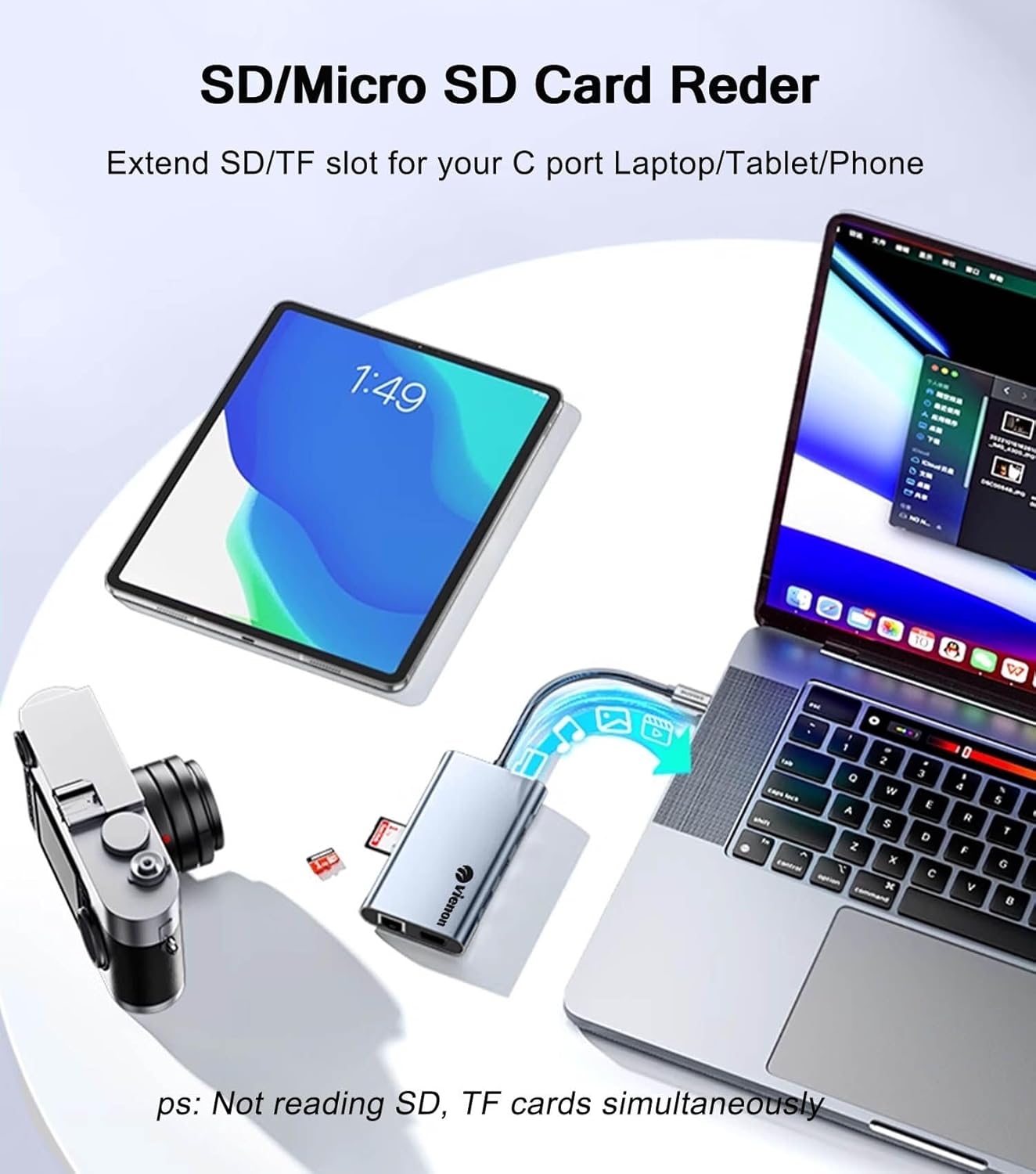
【USB C to SD/TF Card Reader】: Our USB C hub multiport adapter is compatible with SD and Micro SD cards with capacities up to 2TB and data transfer rates up to 104MB/s, which is convenient for reading data from Camera/ Gopro/ Dash Cam/ Surveillance camera.
【Fast Power Delivery&Data Transfer】: this usb extender Euiped a USB C charging port with 100W power delivery, (note: data transfer not supported), which can charge a MacBook Pro 60% in 35mins; 1* USB C 3.0 por & 1*USB A 3.0 port: Data transfer speed up to 5Gbps; 3*USB2.0 Port: speed up to 480Mbps, perfect for your keyboard, Mouse, U flash driver, SSD, HDD, Printer and more USB peripheral devices.
【Widely Compatibility】: The aluminium USB C multiport adapter is specially compatible for MacBook Pro 2020 2019 2018 2017 2016 / MacBook 2020 2019 2018 2017 2016 2015 / iMac Pro 2019 2018 2017/MacBook Air 2020 2019 2018 /, Yoga 920 / 910 / 720, Google Chromebook, and many other Type C laptop. Also compatible with switch steam deck rog alloy and other game consoles.
9 reviews for 11-in-1 USB C Hub, Laptop Docking Station with RJ45 Gigabit Ethernet, 4K HDMI, 1080P VGA, SD/Micro SD Card Reader, 3.5 mm Audio Aux Jack, PD 100W Charging, Full Functional USB C Dongle
Add a review

$15.88
DIANA LUCIA VELASQUEZ RAMIREZ –
multiuso
cumple su función
Kindle Customer –
Great Value
Works great!
plantain –
Problems with audio on Chromebook
On my chromebook:1. The 3.5 mm jack does not appear as an audio device2. A JSAUX usb to 3.5 mm adapter does not work when plugged into this hub, but works correctly when plugged directly into chromebook. Clearly the hub is the issue.
Prim-n-Eggs –
So far, so good
I’m liking my vienon 11-in-1 USB C Hub, Laptop Docking Station so far. At $16.99, it seems like a good buy for the variety of attachments you can use. I’m not sure I even own some of the cords that would plug into all these holes. Knock on wood, everything I’ve plugged into it so far seems to work just fine. If it holds up and the ports don’t start dying in the next couple of years, it will be a very good buy.I wish the main cord that plugs into the CPU were a bit longer — I hate the way the device dangles out there with the cords sprouting in all directions. But that seems to be typical for these things. (Market opportunity: a hub that sticks neatly to the side of the CPU case, possibly with an angled neck on the main plug so it doesn’t stick out so far. Kind of like a flat-to-the-wall electric cord. Anyone? Anyone? Bueller?)###Note: I rely heavily on reviews for my purchases, and I give honest reviews in return, whether the items are free or paid for. I hate being responsible for junky consumer landfill, so I order only what I can really use, and only if the listing and the seller’s main page pass the sniff test. So if it seems like I give an unusual number of positives, it’s because I’m very selective about what I order in the first place. I hope this review is helpful!
George V. –
It gets three stars….but it’s a good three stars! Here’s what I found that may help you decide.
Built well enough that it should survive using it for what it’s made for. Have a few beers and try to shove the ethernet RJ45 connector in upside down….and the whole circuit board may pop out the other end.The 6 inch lead in cable is good for taking the strain off the connectors in the PC. They should maintain a snug fit to things plugged for a longer time when all the wiggle-in-wiggle-out wear and tear happens to the adapter instead.The device registers in the pc device manager (win-11-Pro ver 25H2) as a USB 2.0 device. It performs pretty much like a USB 2.0 device. The Gigabit Ethernet port is NOT. IT can hit a little better than 100 Megabits per second, which relates to number floating around 5 to 14 MegaBYTES throughput on a gigabit network that hits over 800 Megabits routinely. So the good news is….it works on ethernet (which a lot of these cheap things do NOT) and it performs pretty much like most of the cheap ethernet capable combo adapters in that it will get the job done, just not at gigabit speeds.The USB ports are color coded as USB 3.0 (the blue plastic in the socket), Not even close…look for 15 to 25 Megabits if you are transferring files from the pc SSD to a USB 3.0 SSD. The same SSD will hit 300Megabits transfer if it.s not going through this adapter. The good news is….it transfers went error free.The SD and TF card sockets are pretty much the same as the USB-A sockets. Don’t expect anything like true USB 3.0 standards speeds. The good news….the adapters card sockets work well enough to transfer those photos off the camera SD card.The sound output jack works with a set of headphones on the windows 11 system I tried it on. Don’t expect any boost in the audio loudness. Pretty good that, coming through the USB=C socket, it gets recognized and activated by the operating system.I didn’t try the HDMI output, but of several similar adapters I have tried….they all did the basic 1920×1080 displays with no surprises. I expect if will do the same.The PD (power delivery USB-C) socket is a throw of the dice. It may work on some computers and not at all on others. The PD standards were a moving target for a long time and probably haven’t stopped running wild through the various manufacturers jungles of technical methods. The control logic gets confused and sometimes the charging functions work…and sometimes not. Has a lot to do with how the USB-C charging port logic gets along with the power source logic (if it has any) and between the Chromebook, PC, Apple, tablet, smart phone frequently evolving variations….. it’s a try it and see thing.With so many devices showing up on the shelves with trimmed down I/O capabilities (minimum USB ports, no SD or TF type card slot, no DVD optical drive, (among a long list of other interface designs that have gone by the wayside)this adapter has a place in the gear bag that allows you to interface to the things you have come to rely on, and intend to keep using, even though the latest technology may outperform it.Having a few devices like this can get you through in a pinch. At prices typically between 10 and 20 bucks…these are great backup tools to have on hand. I keep several at hand….they are cheap and they do fail…..but getting it done a little slower, is always better than not getting it done at all.
YeetLvl3 –
Perfect for What I Need
The ultimate docking station without it being big and bulky and taking up space. I love the charging and transfer speeds while using this, making it a smooth process. I also love the amount of ports that come with it and the overall functionality. This is a must have for a gaming computer. This is definitely worth having.
Digital Punk –
Nice device to always carry around with any laptop
I’ve used this for a few days and can say that it works just fine. I have used the HDMI port for a monitor and a TV with no issues the USB ports all seem to be good. I could not find an SD card to test, nor do I have any analog displays to test that port. The LAN port does work which is nice as most small laptops don’t come with a RJ45 port anymore. The only issue that is kind of annoying is that Windows 11 seems to have to update the status of the adapter as a USB mass storage device for every port every time I plug it in. But that’s a Windows issue more than the device I believe.
Travis W. –
Works well, Macbook Air users need to be aware of the limitations.
This works fine and has almost all the same features as one that I lost a while back. I haven’t needed to use every single port on it yet, but the stuff I have tried (the Ethernet port being the most important) does work fine on my macbook.Keep in mind, macbook air users, unless you have the newest macbook, your macbook can only extend a different screen to one output. If you use more than one video output in addition to the display on the device, the external devices can be different than the built in display but will be the same as each other. Just about every dock I’ve ever seen points this out in the product images and information, but if you’ve skipped down here to the reviews, I want to make sure you know this, too.
Mohamed Abd El Naser –
تعمل بدون مشاكل